CHAPTER 3
UNIT DESCRIPTION
Entire Contents Copyright 2004 by Adaptive Power Systems, Inc. (APSI) • All Rights Reserved • No reproduction without written authorization from APSI.
APS-3000P Series 3 - 4 OM-001-03000-00P-03.9
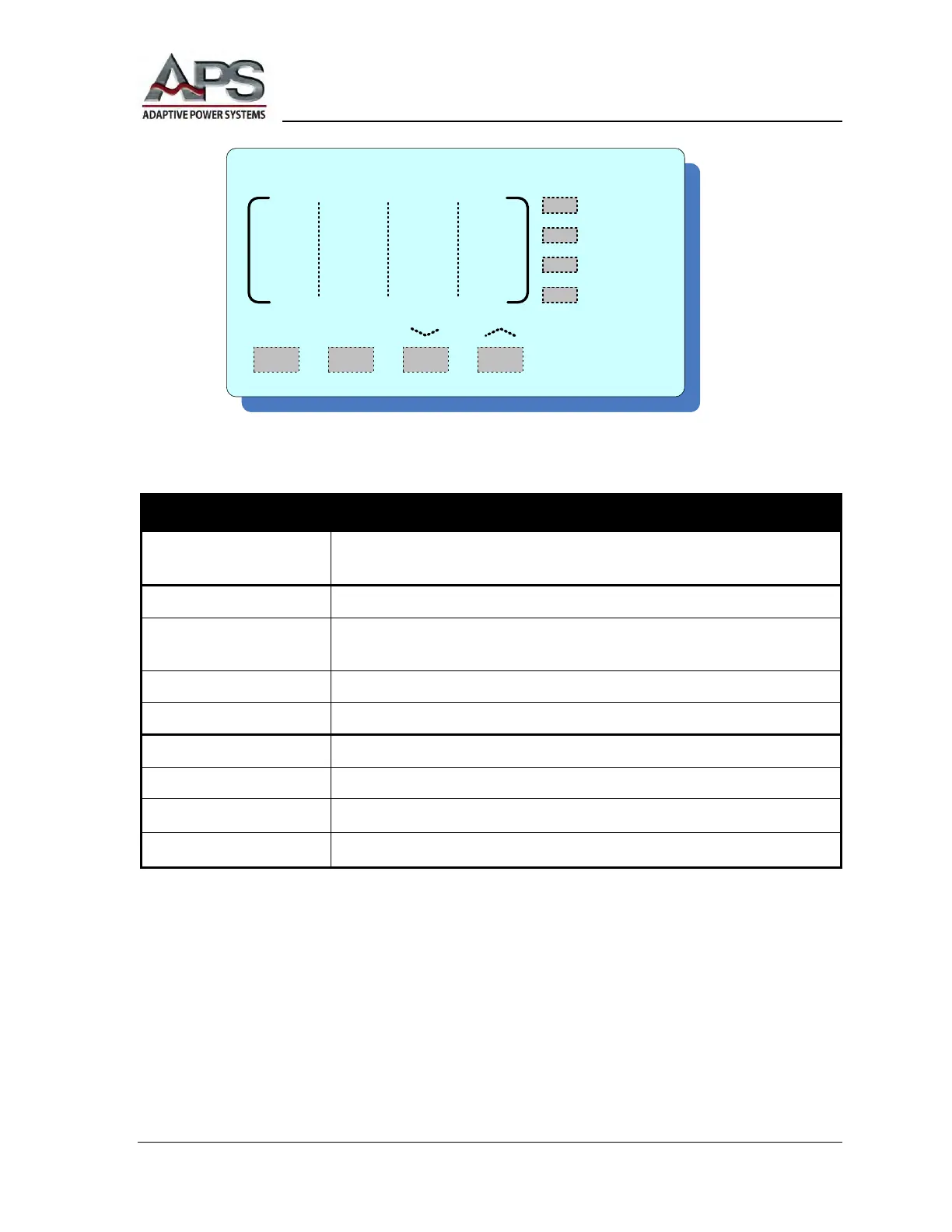
F R E Q U E N C Y
50Hz 60Hz
TEST
PASS
FAIL
PROTECT
Displays output frequency / defined frequency value, parameters during
SYSTEM / PROGRAM set-up, and error messages under output error.
When ON, the system is in normal power output operation.
When ON, the system has satisfactorily completed the AutoRun
program.
When ON, the system has encountered an output error.
When ON, an output error has tripped the system protection circuit.
Sets the output frequency to 50 Hz.
Sets the output frequency to 60 Hz.
Steps the output frequency down to a minimum of 45 Hz.
Steps the output frequency up to a maximum of 500 Hz.
APS-3000P Frequency Display



 To Next Page