Service Support Spirit
Unique Solution WWW.ARCBRO.COM
It is often used when machining needs to start from a certain section or only a part needs being
processed. Refer to SECTION feature for details.
3.2.2【F2】→MAN
To switch the system to manual mode.
3.2.3【F3】→RE-BREAK
After this function is selected, pressing【START】key to fulfil breakpoint restoration. Refer
to RE-BREAK feature for details.
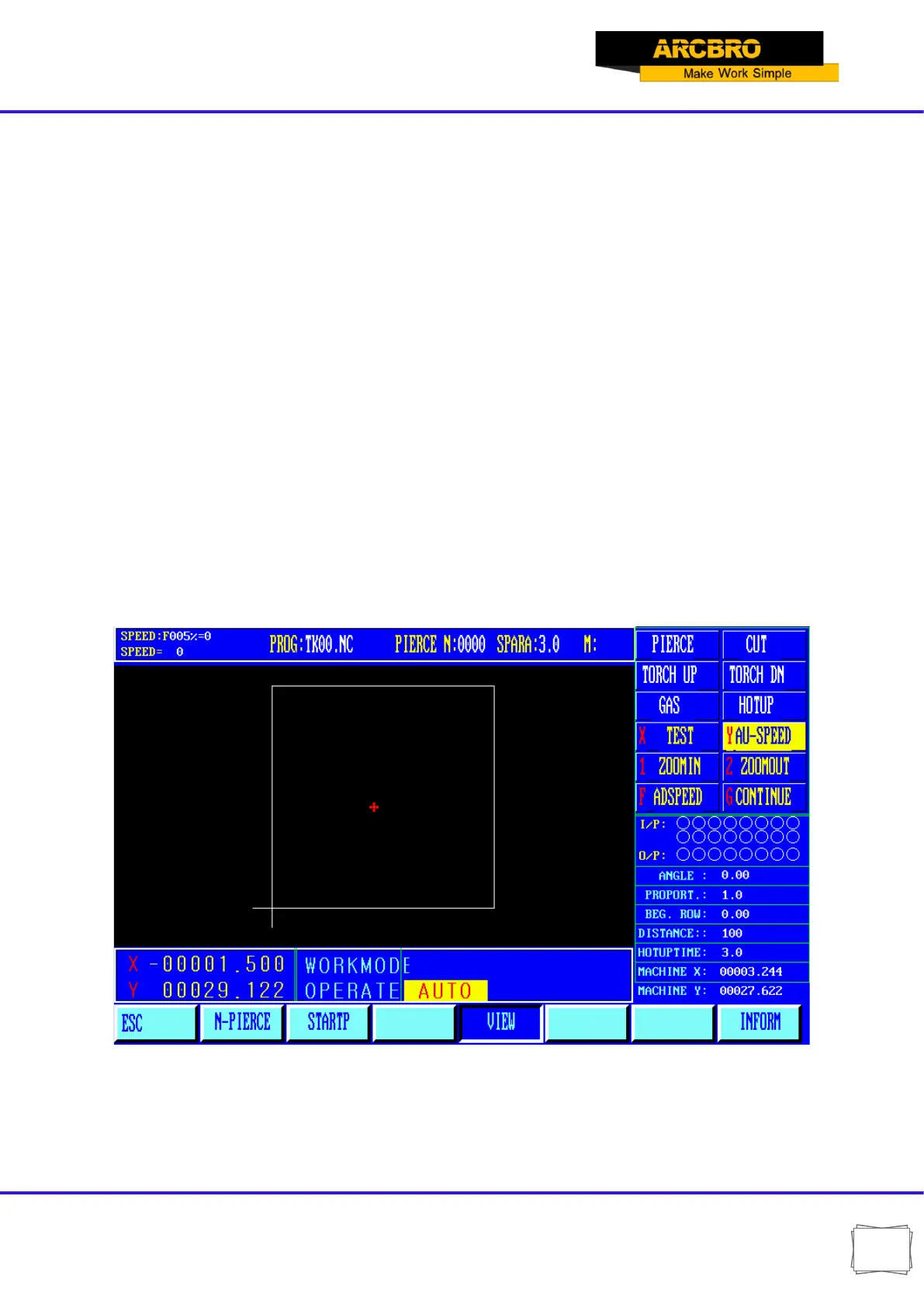
3.2.4【F4】→VIEW
It is used to test the program for any error. When this feature is selected, the pattern of
machining program will be displayed with a cross cursor at the origin.
[S] key is used to magnify the pattern, one times by one keystroke and eight times maximum
by three keystrokes. [Q] key is used to return the pattern to original size. The display position of
pattern is moveable by pressing [↑], [↓], [←] and/or [→] key.
Fig. 3.3


 To Next Page