Service Support Spirit
Unique Solution WWW.ARCBRO.COM
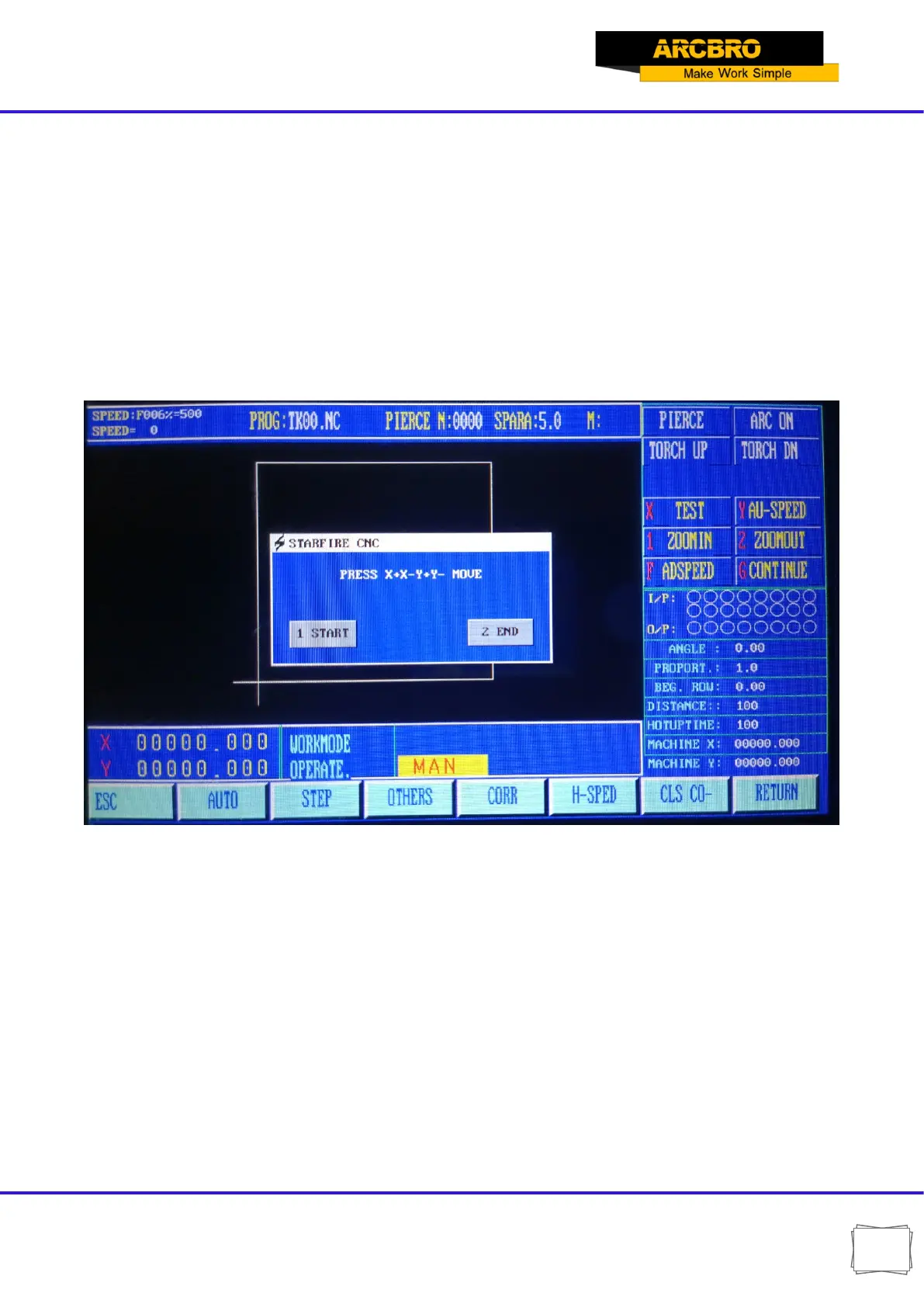
Press the arrow keys to move the torch to another position on the side of the steel plate; Press
number 2 END.
Note: The two positions are as far apart as possible, so that the accuracy of the correction is
higher.
The system will automatically calculate the angle of rotation. Then select the rotation function
in automatic processing and enter the angle. After confirmation, the system will rotate the
processing program according to the specified angle.
Note: The angle is positive counterclockwise.
Fig.4.2 Steel plate calibration function
4.1.5【F5】H-SPED
Quick select manual ratio, press F5 high-speed (highlighted) ratio is 80%, then 10% at low
speed.
4.1.6【F6】 CLS-CO
Set the coordinate value to zero
4.1.7【F8】RETURN
Two choices appear after pressing F8:


 To Next Page