Service Support Spirit
Unique Solution WWW.ARCBRO.COM
3.7.2 Two cases for SECTION machining option:
3.7.2.1Transitional machining: to start machining somewhere different from the start position of
the program;
3.7.2.2 Repeat the machining operation starting from a certain section of the program.
1. For the former case, a scrap work piece is often used for aiming at the piercing point
and machining directly(HERE POSITION option);
2. For the latter case, the reference point is used for positioning(REF POSITION option).
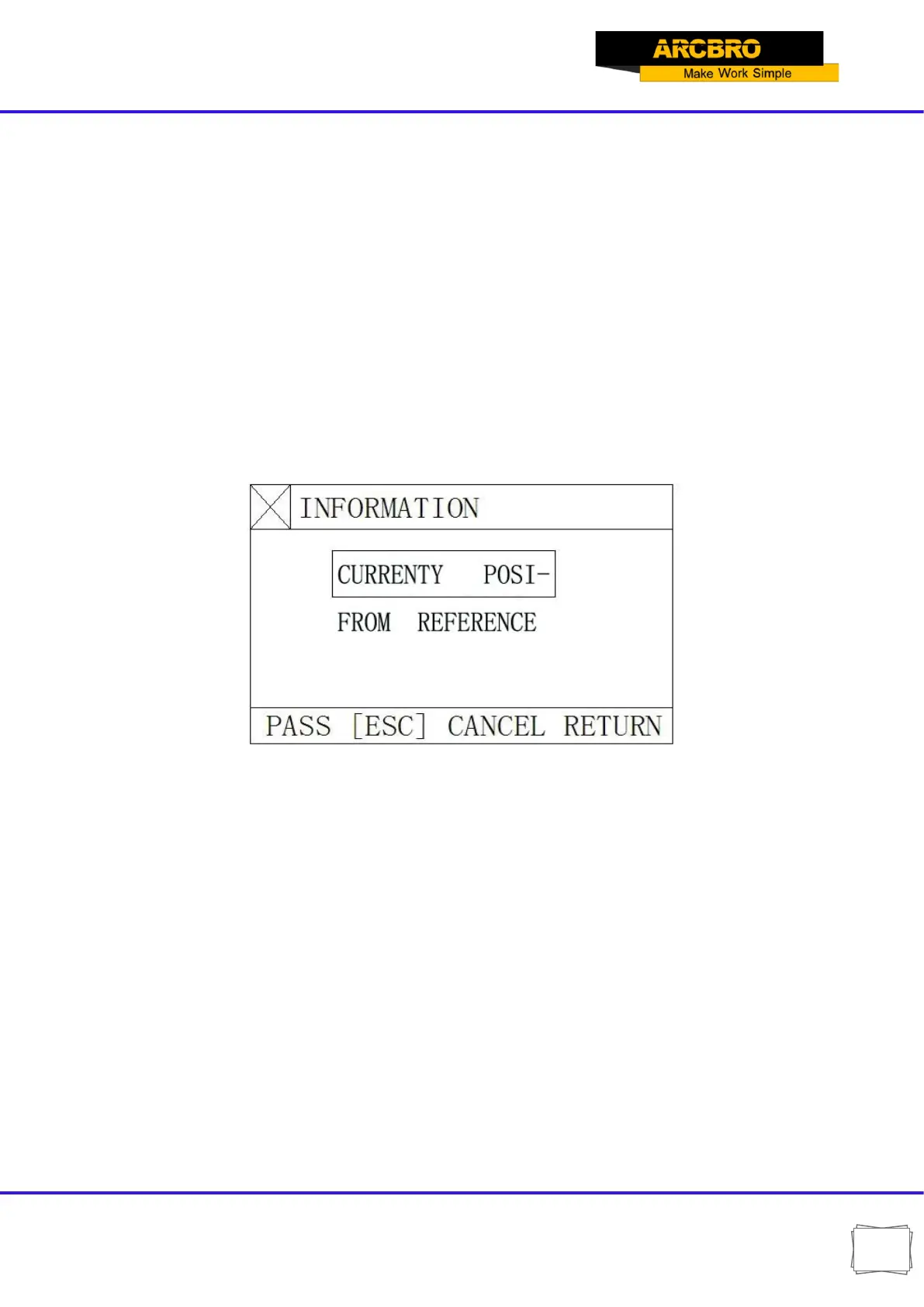
3. For these two options, the system will prompt an option menu as shown below after
start-up:
Fig. 3.7 Option dialog box prompted by the system after machining start if SECTION machining is selected
A. If "HERE POSITION" option is selected, the system will draw the full pattern first and then
draw a large cross cursor at the piercing point. Operator may press [S] key to zoom in
the pattern and observe if it is the expected piercing position. If not satisfied, operator
may press [ESC] to exit the machining mode and take the option again.
B. If it is the expected piercing point, use heavy-current control switch for ignition and
preheat before press [PIERCE] key to start operation.
C. If "REF POSITION" option (Reference Point Positioning) is selected, operator should aim
the cutting torch at the reference point. After started up, the system will control the cutting
torch to reach the piercing point and then perform the operations as above.


 To Next Page