Service Support Spirit
Unique Solution WWW.ARCBRO.COM
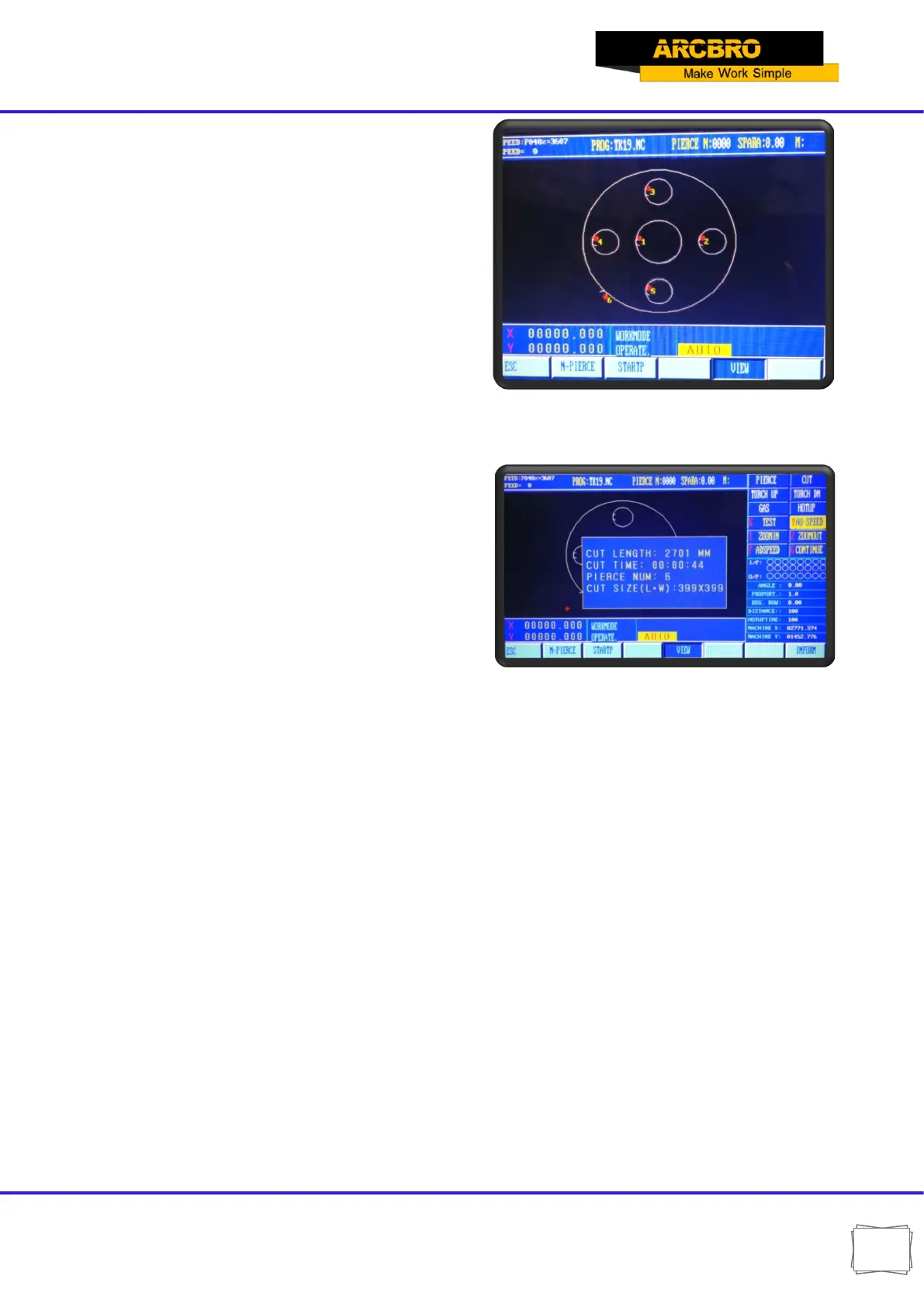
【F1】→N-PIERCE
Select the perforation position. This graphic has
6 perforation positions. You can select the
position according to the number.
【F2】→STARTP
Starting position; A graphic has four starting
positions, which are top left, bottom left, top right,
bottom right;
Every time you press the STARTP key it changes
a position
【F7】→INFORM:
Information: Displays details of the current
drawing
Fig. 3.5
3.2.5【F5】KERF
This key is used to reminder input of kerf compensating width; if no necessary to
compensate (usually in blanking), simply enter 0.
3.2.7【F8】RETURN
Two choices appear after pressing F8:
Choose the first one: RETURN TO REFERENCE;
【RETURN TO REFERENCE】: This position is the coordinate reset position;
【RETURN TO MACHINE ZERO】: It’s a constant position, usually in the lower left corner of
the machine


 To Next Page