Service Support Spirit
Unique Solution WWW.ARCBRO.COM
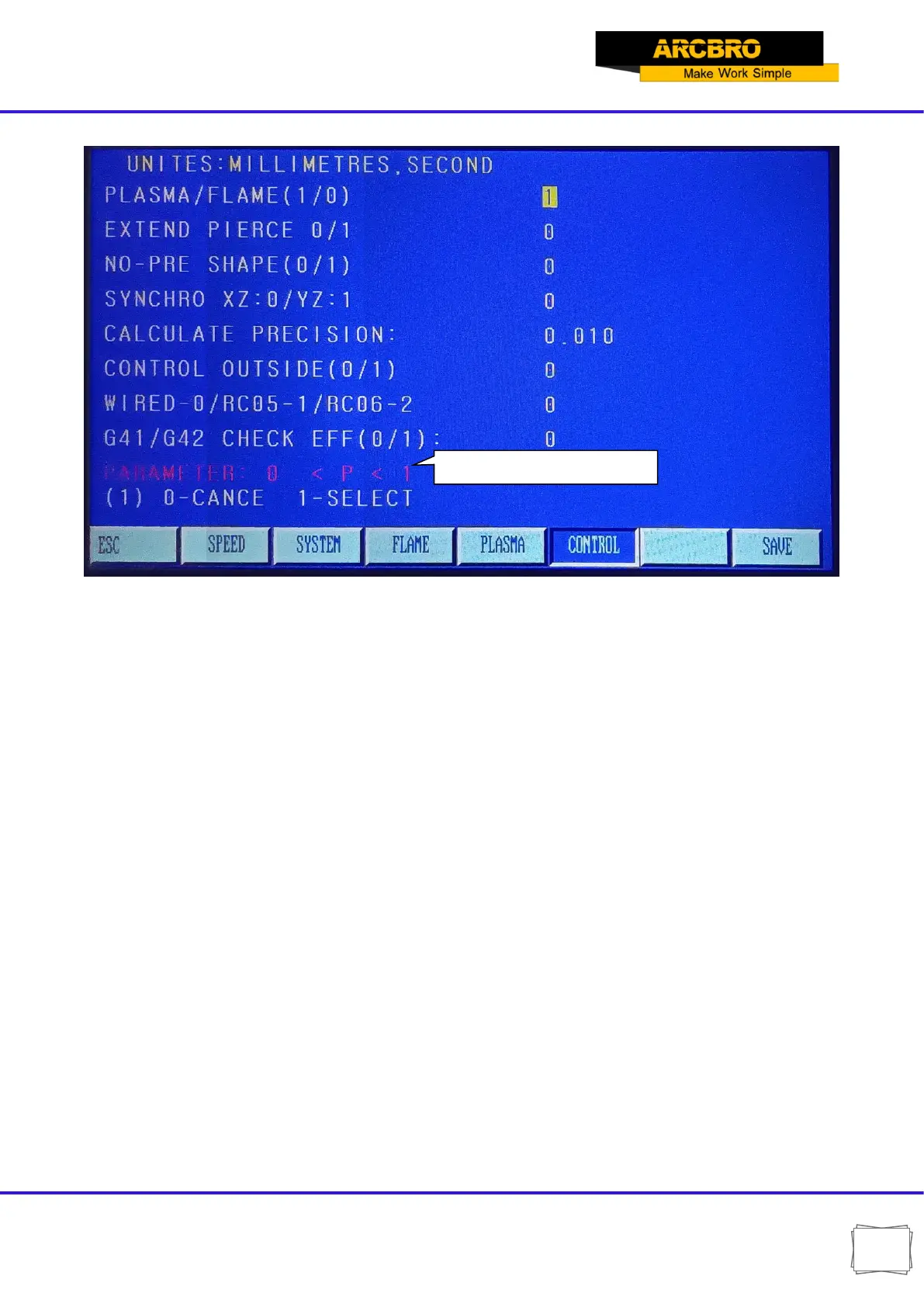
Fig. 7.6 Control parameters menu
PLASMA/FLAME(1/0)--- Set to 0 for flame processing and 1 for plasma processing;
EXTEND PIERCE 0/1---0 means not to select the edge piercing function, 1 means to select the edge
piercing function;
NO-PRE SHAPE (0/1)--- There is no need to display graphics during processing, so set this to 1.
SYNCHRO XZ: 0/YZ: 1---Because the system can control 3 motion axes, For machines requiring bilateral
drive, whether the third axis is shared with the X axis or the Y axis is set this parameter. When 0 is selected,
Z-axis and X-axis are the same axis; When 1, Z-axis and Y-axis are the same axis.
CALCULATE PRECISION---Calculation control accuracy.
CONTROL OUTSIDE (0/1)--- If you use an external hand control box, select 1, otherwise select 0;
WIRED-0/RC05-1/RC06-2---For the external hand control box, select 0 for wired remote control and 1 for
wireless RC05 remote control and 2 for wireless RC06 remote control;
G41/G42 CHECK EFF(0/1)--- There is a check on the correctness of the compensation (G41/G42) in the
system. Set this parameter to 0, when there is a problem with the kerf compensation value, an error line will
be prompted, but no alarm, the program can continue to run.


 To Next Page