15
ENGLISH
OVERVIEW
--------------------------------------------------------------------------------------------------------------
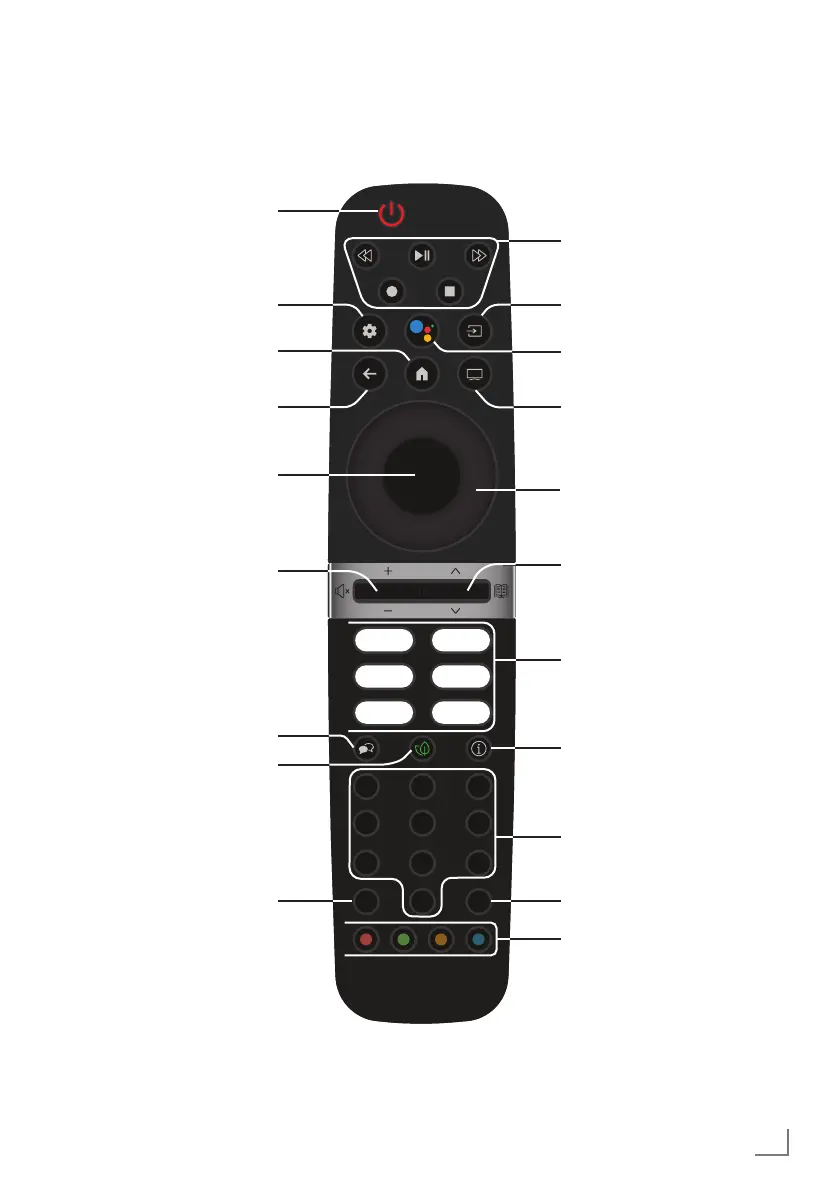
Remote control
Turns on/off
the television set (stand-by)
Opens the Home menu
Switches the menus one
menu level back
Switches between teletext
and TV modes
Directly selects thechannels
Voice control
Opens subtitle menu
Confirms/activates various
functions
Opens the control panel
Selects the channels step
by step;
Opens the electronic TV
Guide.
Application shortcuts
Selects audio language
Opens ECO mode settings
Switches to the TV Mode.
Displays information
Selecting an input.
Adjusts the volume;
Turns the volume on/off
(Mute)
Selects/activates various
functions in menus
Record, Play, Pause, Stop,
Forward, Reverse.
0
TXT SUB
1 2 3
4 5 6
7 98
Up/down, right/left direc-
tion keys



 To Next Page