43
ENGLISH
HBBTV MODE
------------------------------------------------------------------------------------------------------
Using HbbTV
When you switch to a TV programme that sup-
ports HbbTV, an info message will appear stat-
ing that HbbTV broadcast is available.
Note:
7
For HBBTV to be active HBBTV Support
must be enabled from HBBTV .
1 Press »
« (red) to open HbbTV.
– Information regarding the service will ap-
pear on the screen. Additionally, coloured
buttons necessary for browsing the menus
will also appear.
Notes:
7
The range of subjects and selection of
individual subjects are subject to the pro-
gramme provider.
7
Numeric buttons between »1« and »0« are
used for additional functions.
2 Press »
« (green), »
« (yellow) or »
«
(blue) to select the desired topic field.
3 Select the option you want with »
V
«, »
Λ
«,
»
<
« »
>
« in the selected topic field and
confirm with »
«.
4 Press »
« (red) to close HbbTV.
Note:
7
If navigation does not work in HbbTV
mode, press »
a
« to exit the function.
Additional functions for video
indexes
1 Press »
w
« to start playback.
2 Press »
w
« to pause playback.
3 Press »
w
« to resume playback.
4 Press »
u
« to rewind, press »
v
« to fast
forward.
5 Press »
w
« for 5 seconds to stop playback.
HBBTV Settings
1 Press
H
TV« to return to the TV mode.
2 Press »
S
«, select the »Advanced Options«
with »
<
« or »
>
« and confirm with »
«.
3 Use »
V
« or »
Λ
« to select »HBBTV Set-
tings« and confirm with »
«.
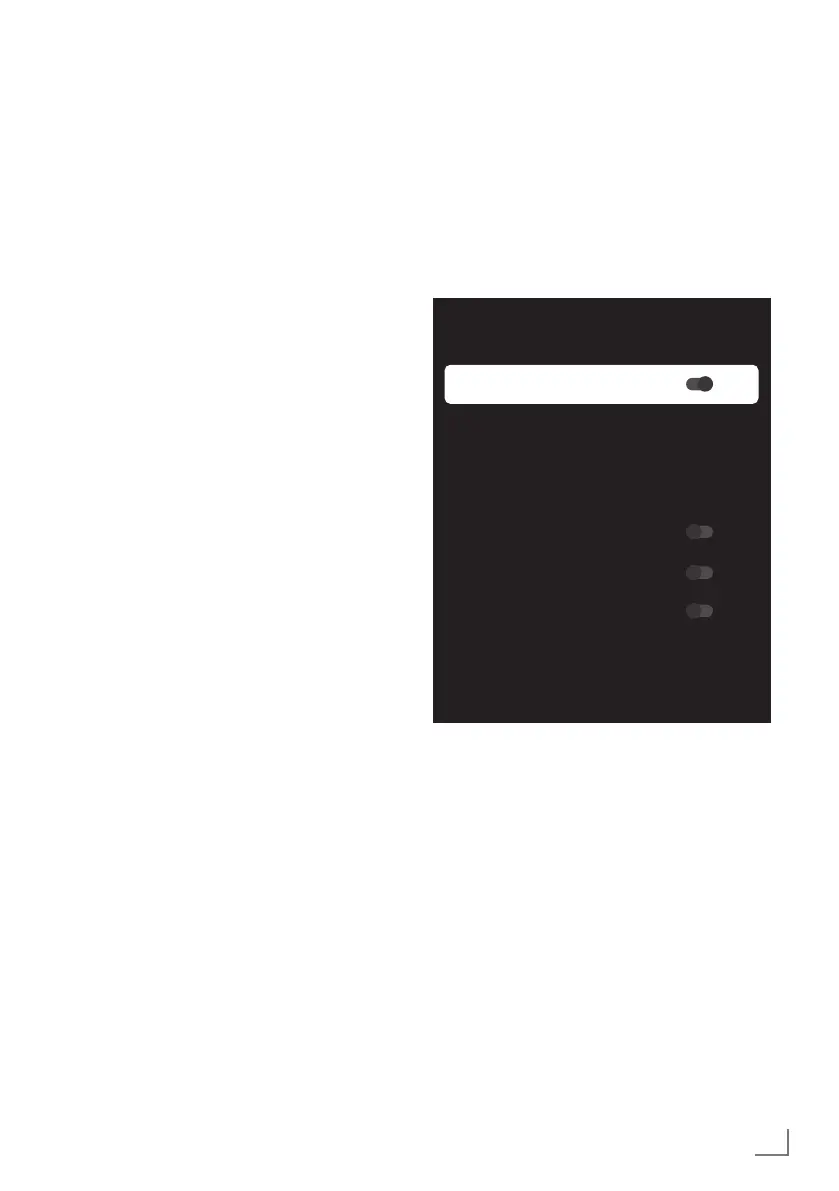
– HBBTV Settings menu shall be displayed.
HBBTV Settings
HBBTV Support
Do Not Track
Default
Cookie Settings
Default
Persistent Storage
Block Tracking Sites
Device ID
Reset Device ID
Note:
7
Additional procedures are explained in the
following sections.
HBBTV Support
You can turn off HbbTV, by this way warn-
ings for HbbTV are not displayed on channels
broadcasting HbbTV.
1 Select »HBBTV Support« with »
V
« or »
Λ
«
and select the position »On« or »Off« with
»
«.
2 Press »
a
« or »
H
« to return to the broad-
cast.



 To Next Page