ENGLISH
86
OPERATION WITH COMMON INTERFACE
---------------------
What is common interface?
7
Your TV supports CI+1.4.
7
Common Interface (CI) is an interface for DVB
receivers.
7
Scrambled channels can only be viewed with
a CA module suitable for the encoding system
and the corresponding smart card.
7
Your television is equipped with a Common
Interface slot into which CA modules from
various providers can be inserted.
7
You can insert the provider’s smart card into
the CA module in order to enable thescram-
ble channels you want to see.
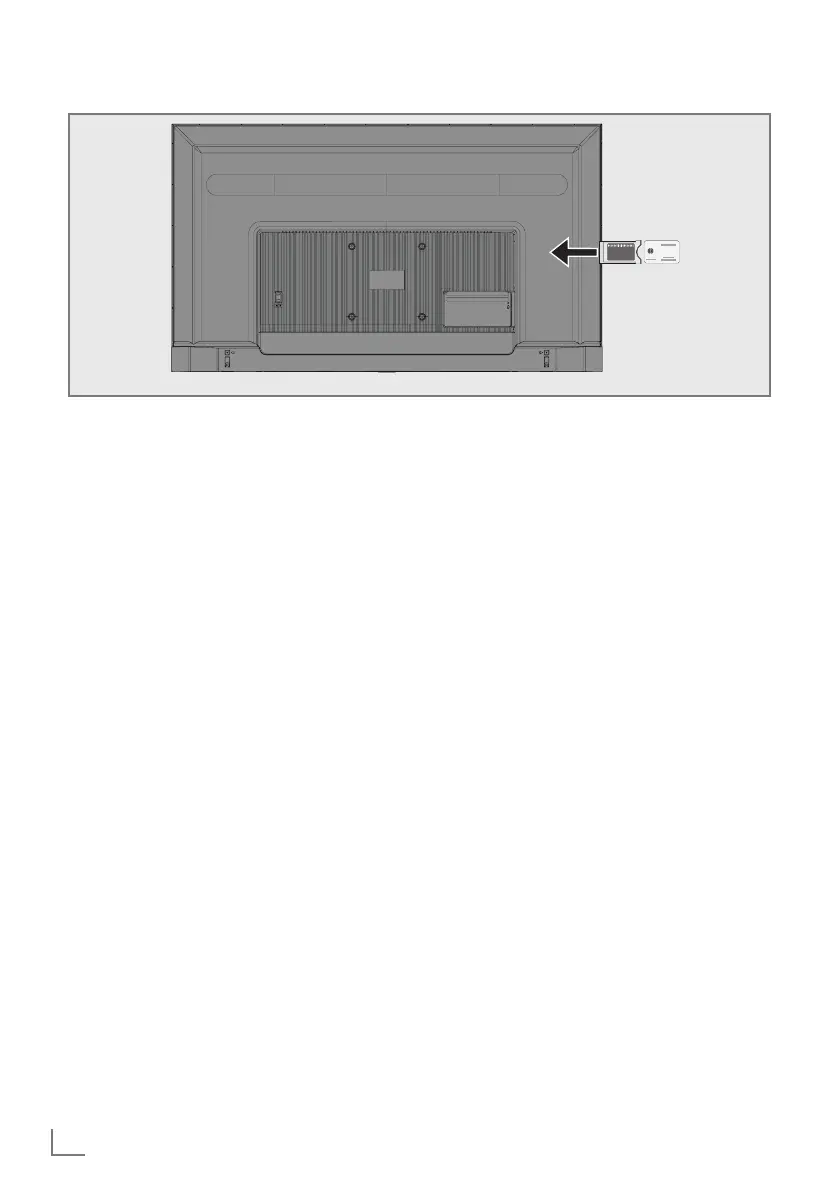
Inserting the CA module
Note:
7
Switch off the appliance before inserting
the CA module in the »COMMON INTER-
FACE« slot.
1 Insert the smart card into the CA module.
2 Insert the CA module with the smart card
into the »COMMON INTERFACE« slot on
the television.
Note:
7
To see which CA module is in the Common In-
terface slot, go to the »CA - Module« submenu.
7
When you insert a CA module into the CI
slot on the television for the first time,wait a
few moments until the television has regis-
tered the CA module.
Access control for CA module
and smart cards
1 Press »
H
« and then press »
S
«.
2 Select »CI Card« with »
>
« and confirm with
»
«.
– Cam Information menu shall be displayed.
Notes:
7
This menu give operating instructions and –
after you enter your PIN code – access to
channels of the PAY-TV provider.
7
Other settings are described in the manuals
for your CA module and smart card.
7
The CA module is not supported in some
countries and regions. Please consult your
authorised dealer.
3 Press »
r
« to return to the previous menu or
press »
T
« to return to Home menu.



 To Next Page