21
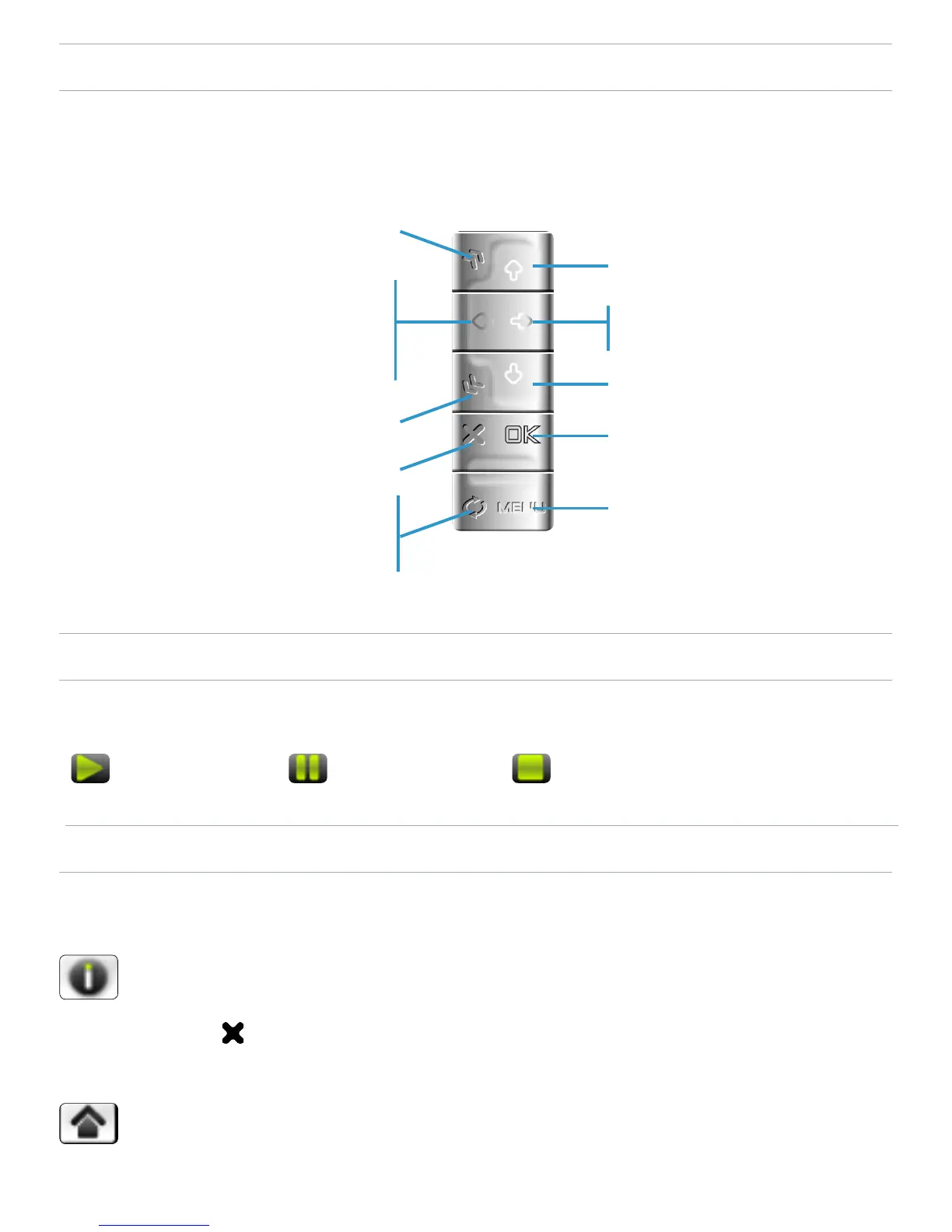
MUSIC PLAYBACK BUTTON CONTROLS
During music playback, the buttons of your ARCHOS
™
device
will act as follows:
MUSIC STATUS ICONS
Status bar icons tell you if your ARCHOS
™
is:
playing paused stopped
MUSIC PLAYBACK MENU ITEMS
Info
displays a message box with all the available
information about the current music le.
Press to close the info screen.
Home
allows you to go back to the Home Screen while playing
music, in order to browse your hard drive, play a photo
slideshow, etc.
-
-
-
increase volume
press once: next song
hold: fast forward
decrease volume
pause/play
display the menu
accelerated fast forward
press once: back to the
beginning of the song, or
previous song (in the rst
10 seconds of a track)
hold: fast rewind
accelerated fast rewind
stop
tabs back to the browser or
ARCLibrary window that
you launched the song from



 To Next Page