20
Clear bookmark
will remove the bookmark from the highlighted music le.
Resume song and Clear bookmark only appear in the menu
when a track with a bookmark is highlighted (icon: ).
Show playlist
opens a playlist edition window on the right
(see:
Playlists
).
Sound
will display the sound settings screen (see:
Sound
Settings
). Press to return to the music mode.
* in the ArcLibrary, only the
Show playlist
and
Sound
menu
items are available.
2.2 PlayIng MusIC
Highlight an audio le, press OK to play it.
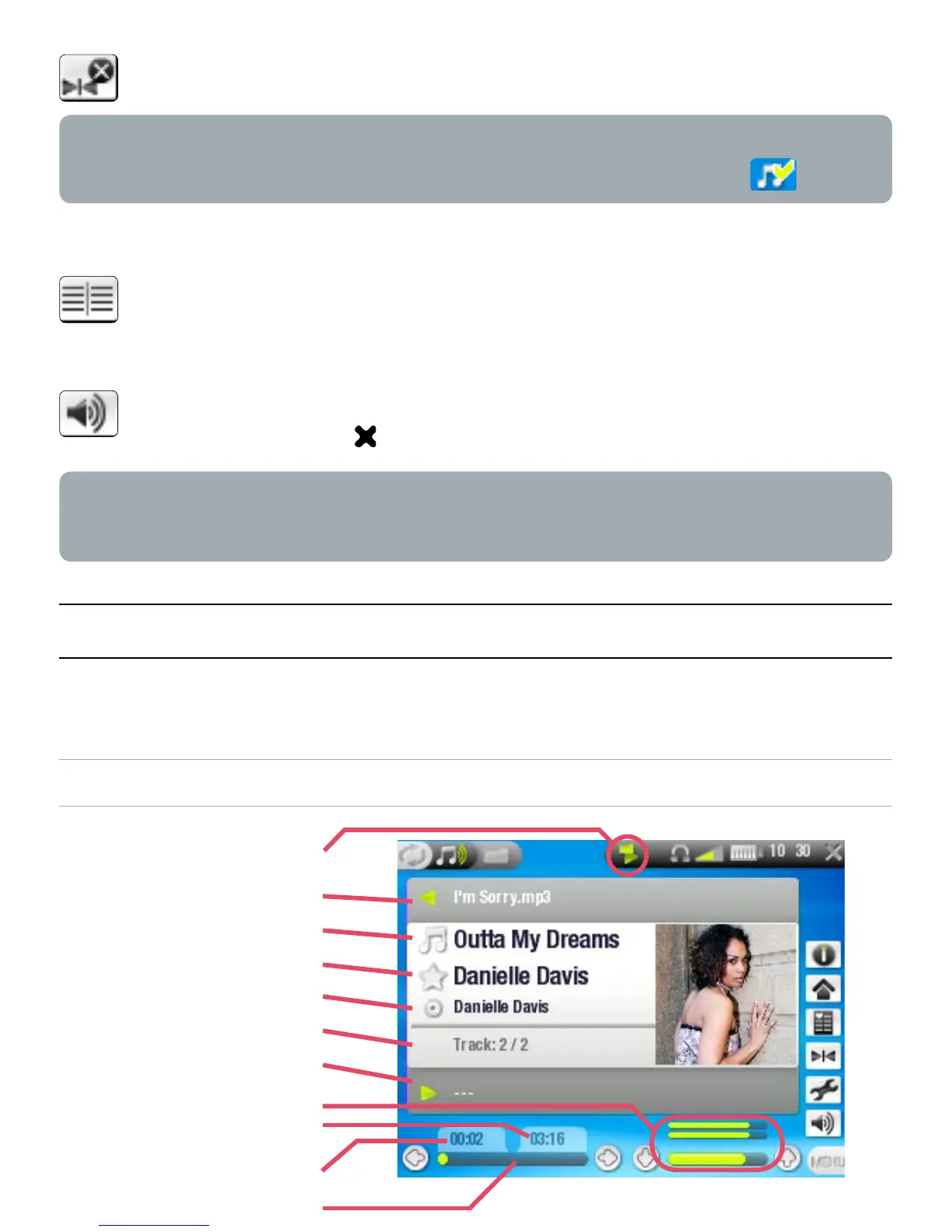
MUSIC PLAYBACK SCREEN
-
-
-
current play mode
previous track
song title
artist name
album title
track number
next track
volume level
remaining time
elapsed time
progression bar



 To Next Page