31
3. usIng The audIOCOrder
You can record audio either from the built-in
microphone or from an external line-level analog
source if you use the optional
DVR Station
or
DVR
Travel Adapter
.
In the Home Screen, highlight the AudioCorder icon and press
OK to display the pre-recording screen.
All audio recordings made by your ARCHOS
™
device are
saved in the Music/Recordings folder. If you wish to keep
them in a different location, you can use the Move function
of the Archos
™
le browser after recording (see: Using the
Browser).
The icon ashes in the status bar while recording.
Audio les recorded by your ARCHOS
™
device will be tagged
as follows: Artist = (Archos: Audio Recordings), Album =
(Unknown).
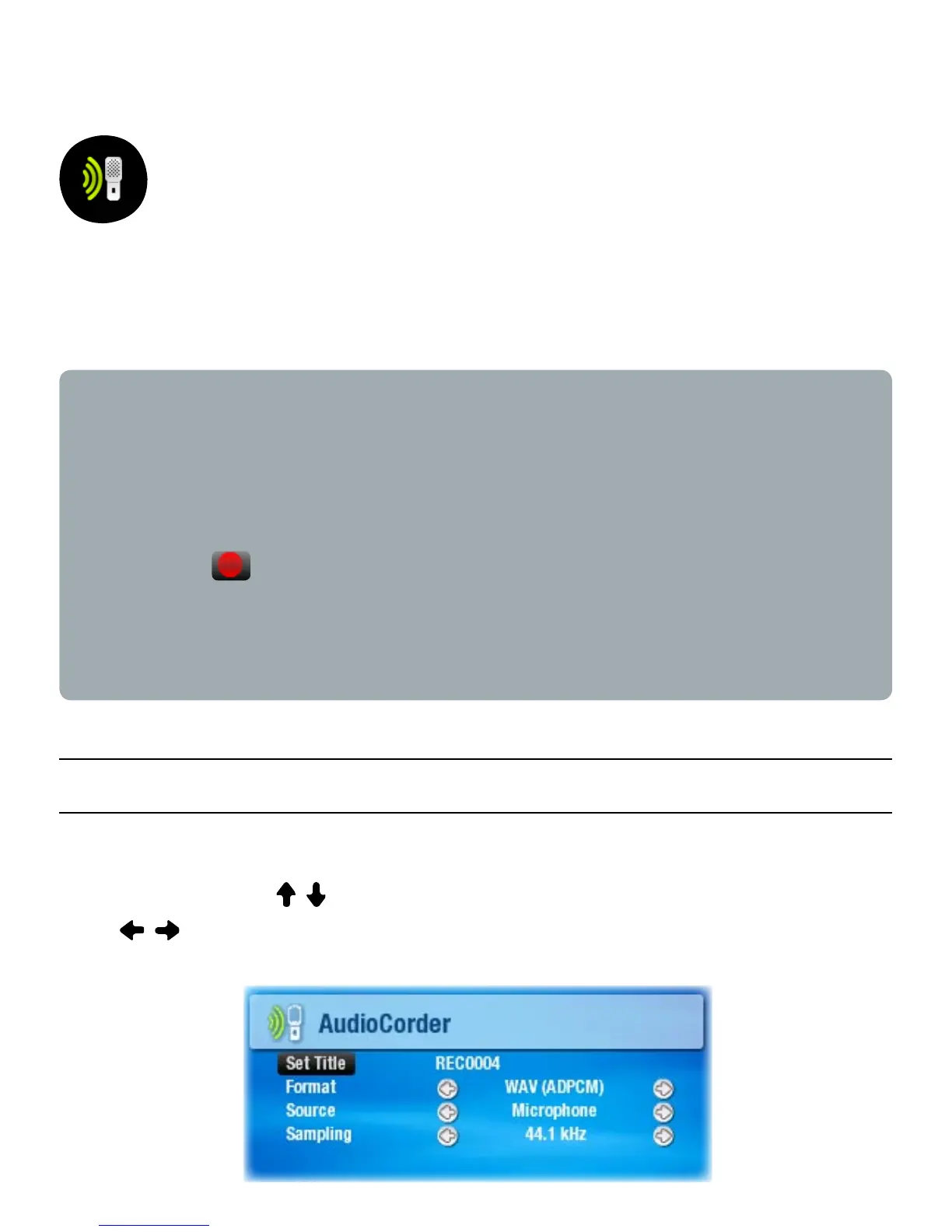
3.1 audIOCOrder seTTIngs sCreen
This screen allows you to adjust audio input settings for your
recordings. Use / to highlight a different parameter, then
use / to select a different setting.
•
•
•



 To Next Page