26
Note: when you delete a playlist, you are only deleting the list
and not the music itself.
PLAYING A PLAYLIST
Highlight the
Playlist
line of the ArcLibrary, press OK.
Select a playlist using / , press
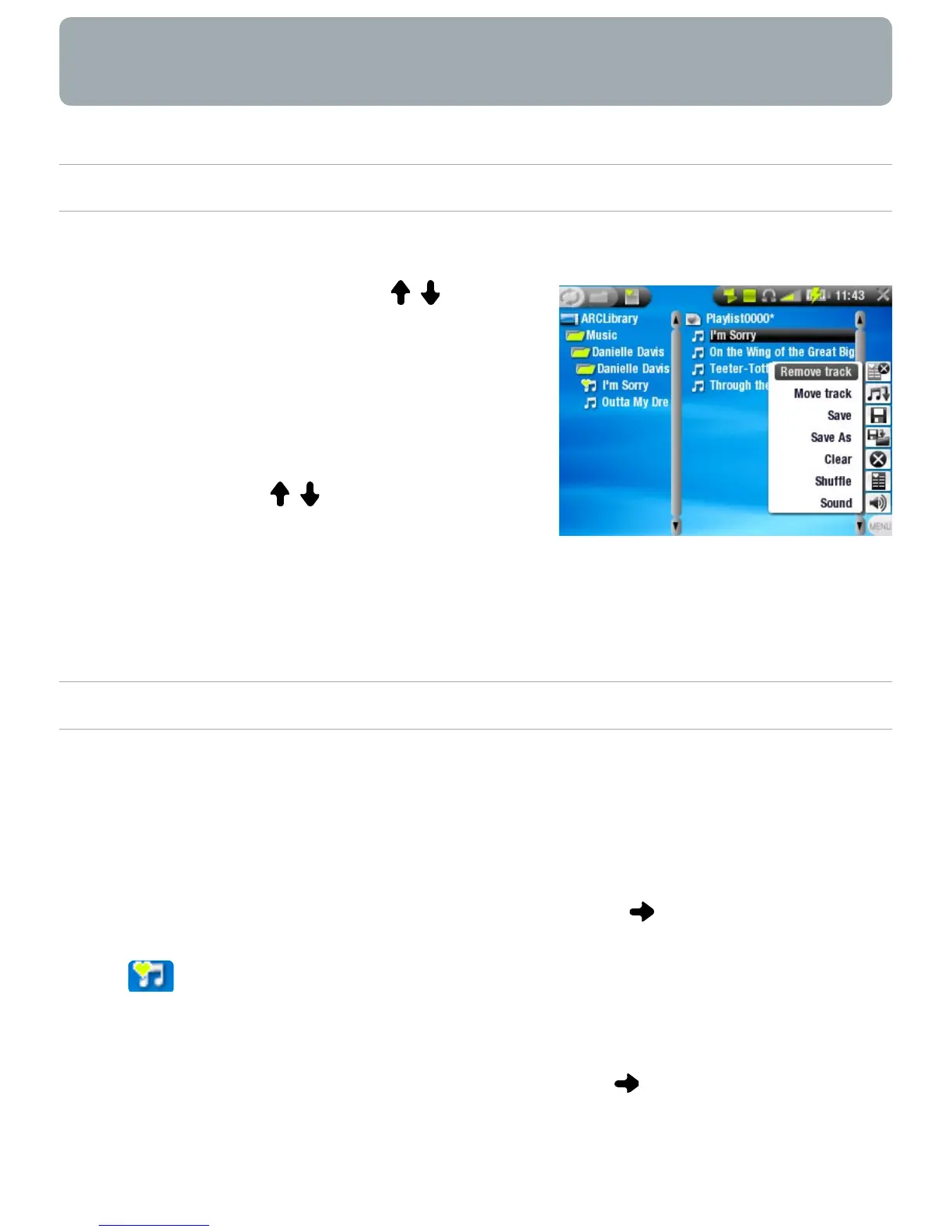
OK. A panel showing the contents
of the playlist will open on the right.
Press OK to start playing from the
rst track (to start playing from
another track, you can also select
a song using / before you press
OK).
You may want to play the tracks in a different order: press
Menu and select the
Shufe
menu item to randomly shufe
the order of the songs in the current playlist.
CREATING A PLAYLIST
Select the
Show playlist
menu item while you are in the
Music browser. A playlist panel will open on the right: you
can now start adding songs to the current playlist.
In the left pane, locate the songs you would like to add to
your playlist. Highlight a song and press or OK to add it
to the playlist (the song’s icon in the left panel will change
to , indicating that it is part of the current playlist).
Repeat this operation with all the tracks you want.
You can also add the content of an entire folder, artist,
album, etc. if you highlight it and press or OK.
Another way to add songs to a playlist is by using the
Add to
playlist
or
Insert in playlist
menu items:
•
•
•
•
•
•
•
•



 To Next Page