20
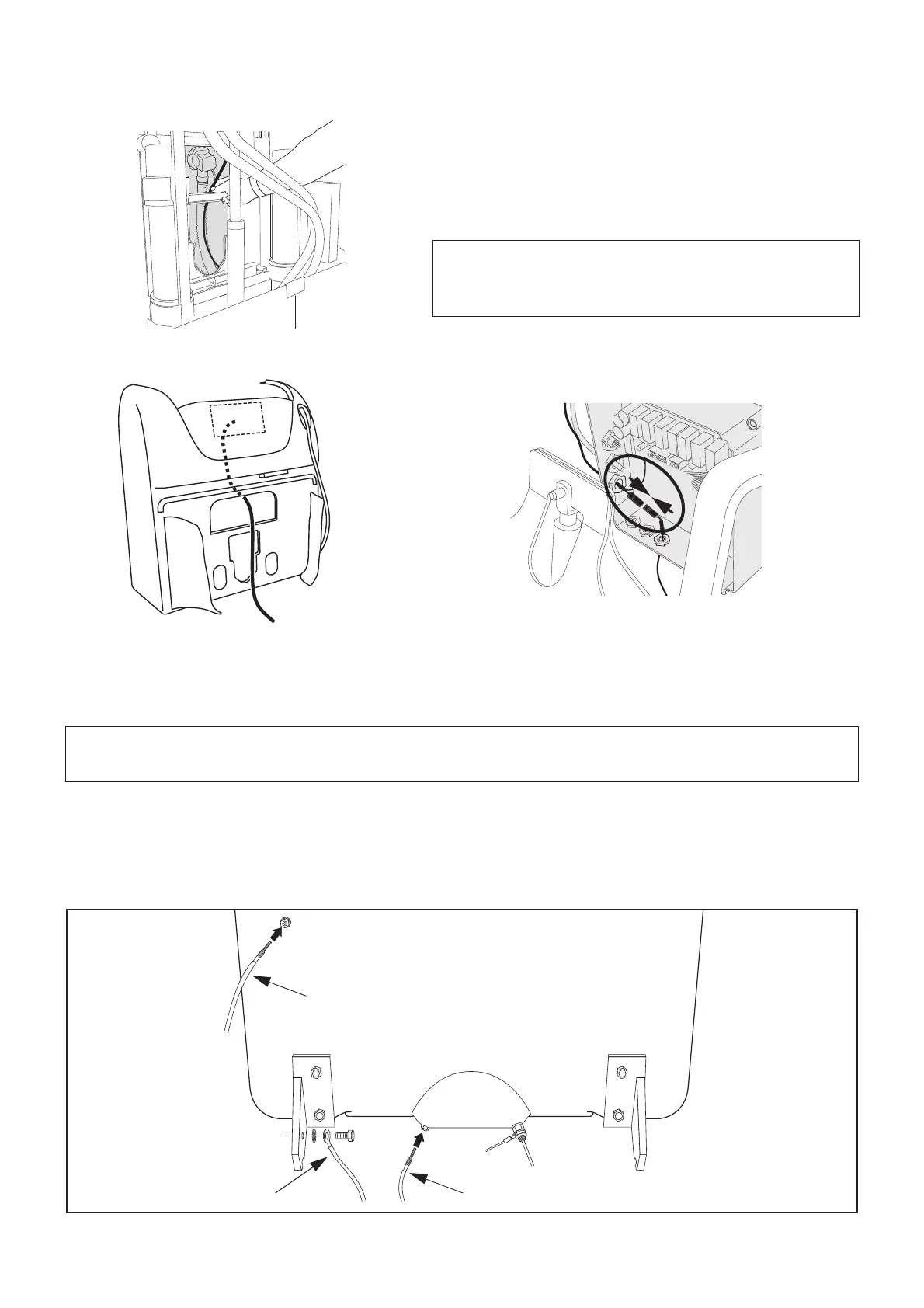
9 Strap together temperature sensor cable with level sensor
cable.
10 Lead the temperature sensor cable up between the tub and
panel. Lead it through the cable gland and into the control
box. (See fig.10 & 11)
11 In the control box, connect the temperature sensor cable
with the cable from the temperature display. (See fig.12)
12 Remount the control box cover and the top box.
Connecting level sensor cables (See fig. 13)
• Connect the longest cable to the level sensor placed to the left of the drain (A). (Comes with autofill and
hydro option tubs.)
• Connect the shortest cable to the top level sensor (B). (Comes with autofill and hydro option tubs.)
• Primo Ferro Systems only: Fasten the ground wire (yellow/green) to the mounting bracket (C).
CAUTION
Cable gland and nut tightened with fingers and
then 1/2 turn.
NOTE
The autofill and level sensing will not work if the following is done incorrectly.
Fig. 12








 To Next Page