18
Connecting sensor cables
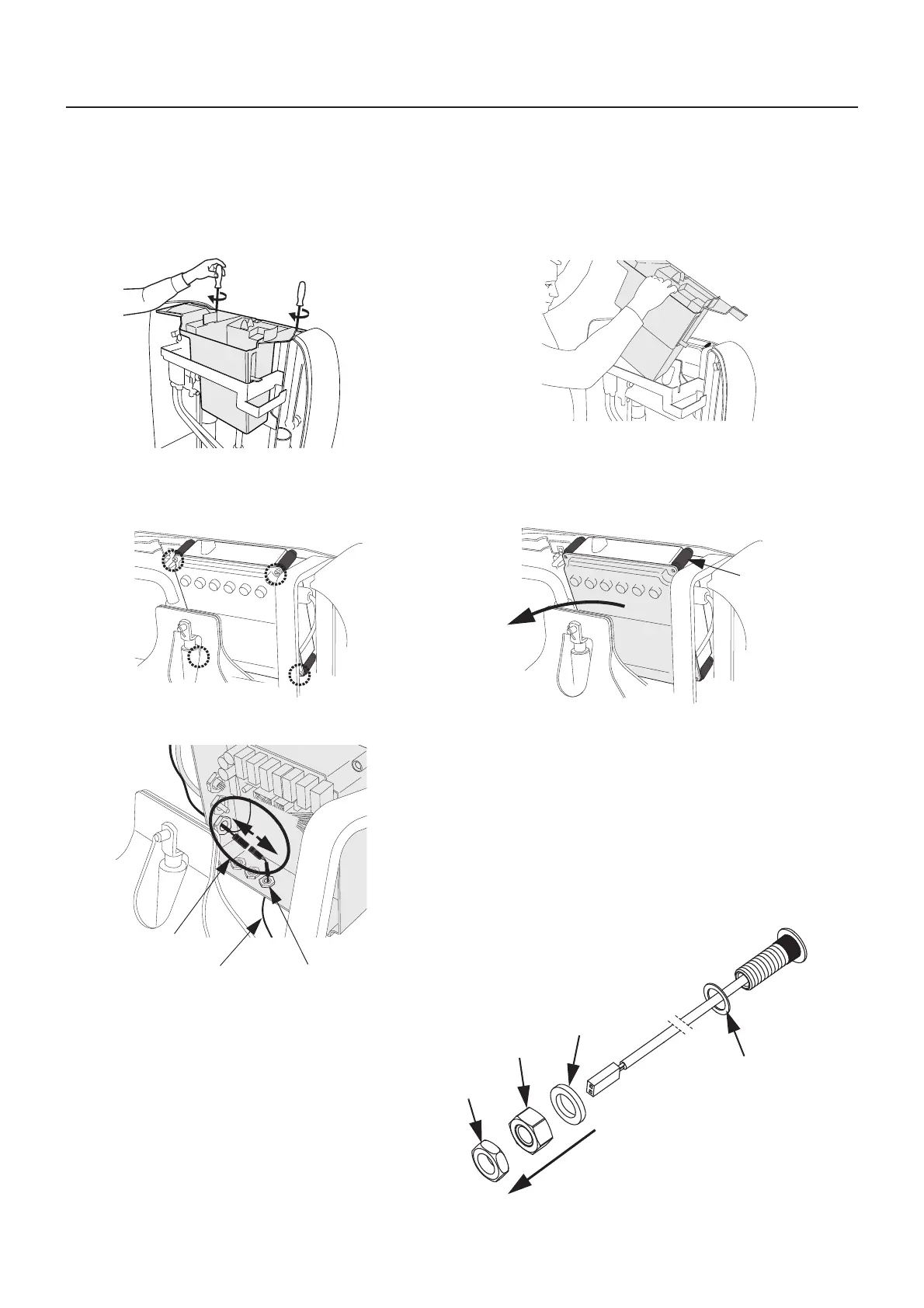
Connecting temperature sensor cable
1 Unscrew the two screws and lift out the top box, to get
access to the control box.
(See fig. 1 & 2)
2 Unscrew the four screws in the control box, remove the
spacers and the cover. (See fig. 3 & 4)
3 Remove the sensor from the control box: (See fig. 5)
• Unscrew and remove the cable gland (A)
• Disconnect the contact (B)
• Remove the cable (C)
4 From the cable, remove the metal nut, plastic nut and
washer. Do not remove the sealing. (See fig. 6)
Washer
Metal nut
Fig. 6
Plastic nut
Sealing








 To Next Page