MAX1000 User Guide www.arrow.com
Page | 33 July 2017
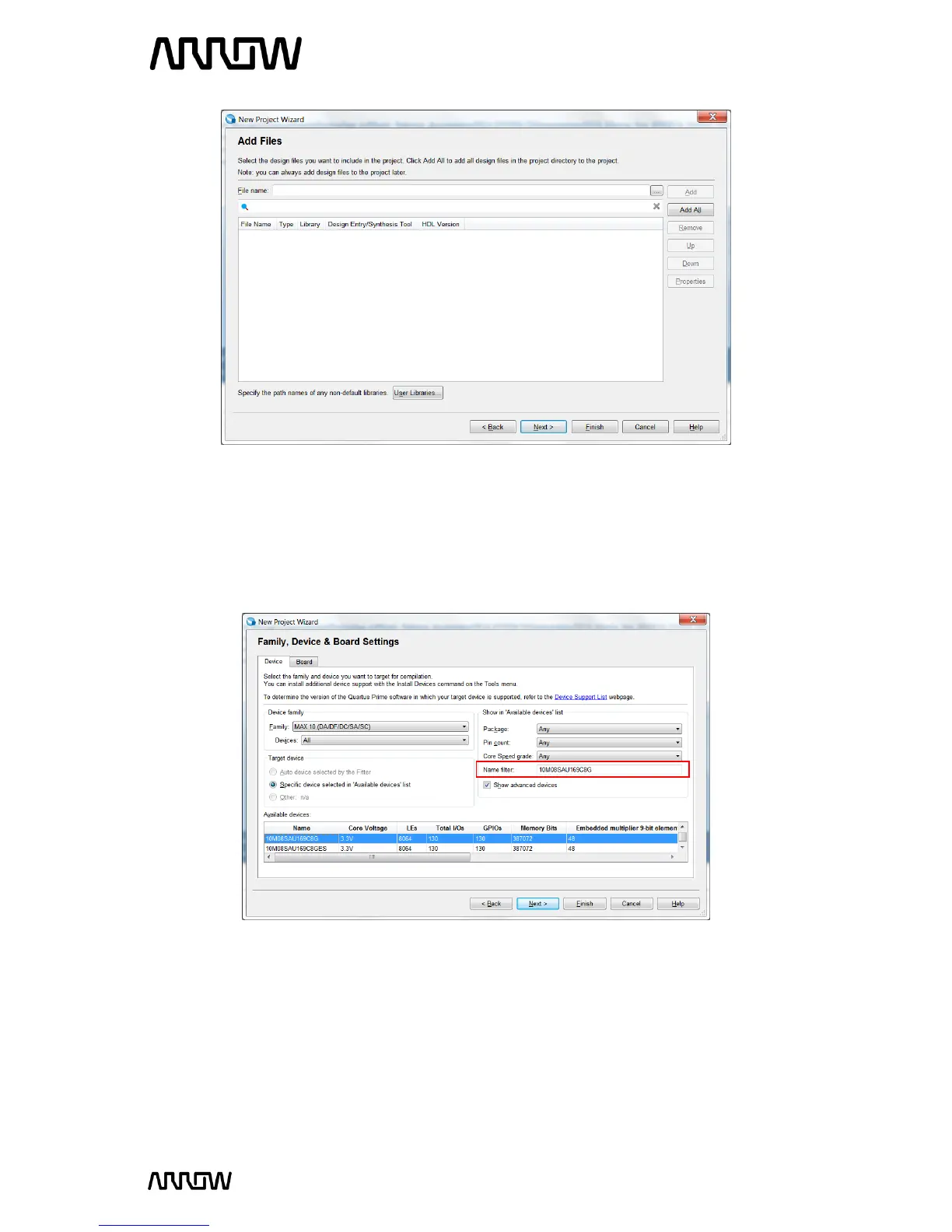
5.1.10 Click “Next”.
5.1.11 Select the Device Part Number of the MAX1000 Board
In the Family and Device Settings, use the pull down menu to select the family as MAX10. Then in
the Name Filter enter 10M08SAU169C8G.
Rather than entering the exact part number, the pull-down menus can be used to select the
correct family, package, pin count, and speed grade. Quartus Prime will use these settings to
compile the design, and also provide the programming file that you will use later to program the
device.
5.1.12 Click “Next”.
5.1.13 EDA Tool Settings



 To Next Page