2.3. Initial Setup
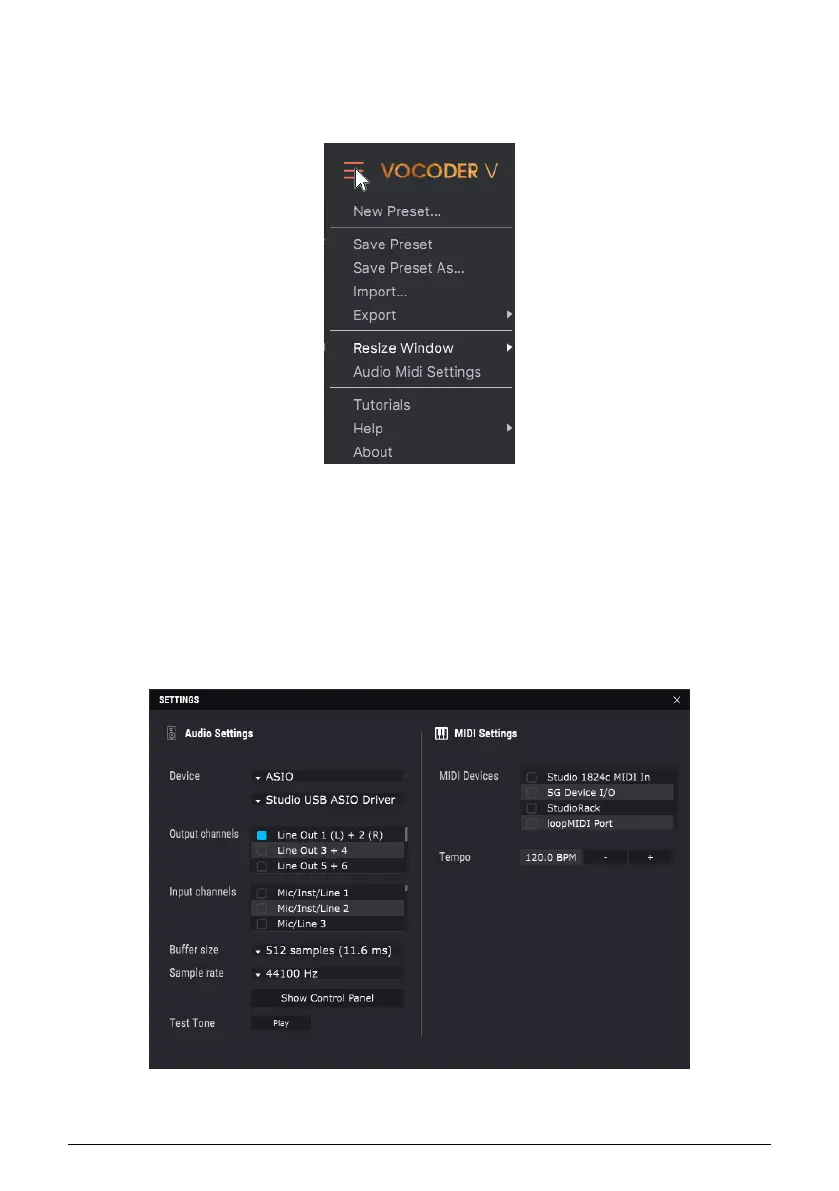
To access the settings for file management, interface resizing, audio and MIDI settings for
stand-alone operation, and help, click on the three lines in the upper left corner.
2.3.1. Stand-Alone Settings
In stand-alone mode, you need to specify how Vocoder V interacts with your computer’s
audio and MIDI input and outputs. The audio input sends an audio signal to serve as the
vocoder’s modulator, while the output receives Vocoder V’s audio output. MIDI triggers notes
in Vocoder V’s internal synthesizer.
Choose Audio Midi Settings from the menu shown above to make the appropriate audio and
MIDI assignments.
Arturia - User Manual Vocoder V - Activation First Start 7












 To Next Page