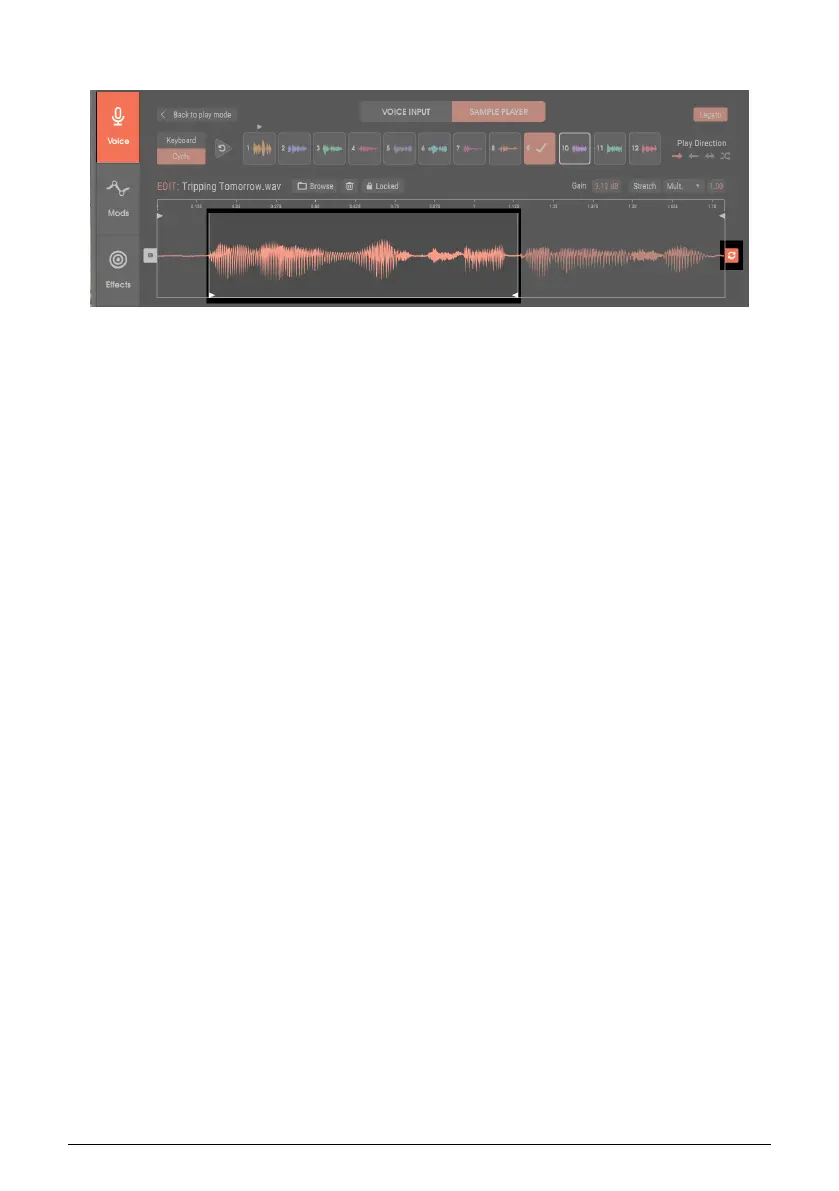
5.4.6. Looping Within the Sample
You can forward-loop an entire sample, audio within a sample, or audio within the sample
start and end points.
To create a loop, the waveform must be fully zoomed out. Click on the loop symbol attached
to the end point handle. Handles appear at the sample start and end, but unlike the start and
end point handles, the loop handles are at the bottom of the waveform, not the top.
To adjust the loop points, click on the Loop Start handle and set the loop start. Then click on
the Loop End handle and set the loop end.
A loop cannot extend past the sample’s start or end point. So if you move the sample start
later than the loop start, the loop start will be the same as the sample start. If you move the
sample end earlier than the loop end, then the loop end will be the same as the sample end.
After defining a loop, moving the Loop Start handle also moves the Loop End handle by
the same amount to maintain the same loop length. However, the Loop End handle moves
independently. This allows defining a loop length, and then moving the loop with the Loop
Start handle, to find the loop’s optimum placement.
To turn off looping, click again on the looping symbol attached to the end point handle. The
loop handles disappear.
Arturia - User Manual Vocoder V - Voice page 39












 To Next Page