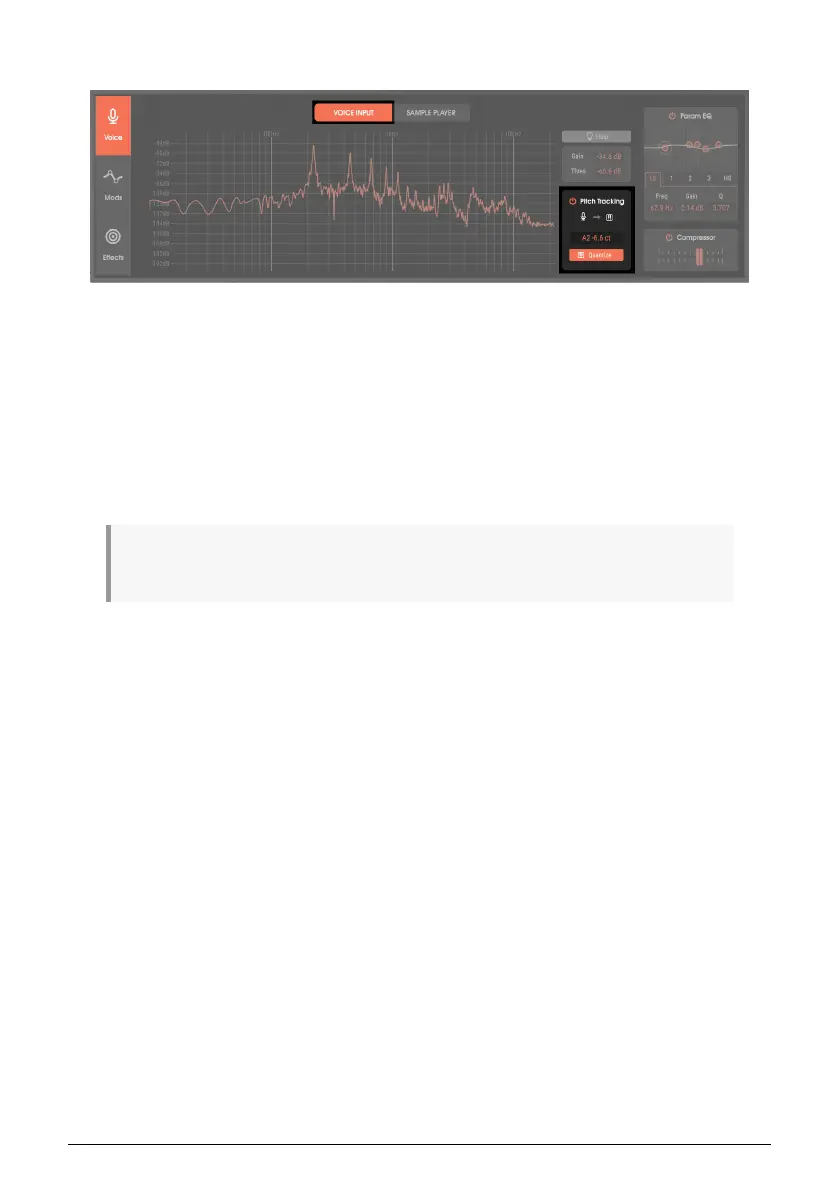
5.2.3. Pitch Tracking
Vocoder V can detect the pitch of a monophonic input signal, and use that to trigger
the same pitch in the synthesizer keyboard. This allows playing the keyboard by singing,
playing single-note lines on guitar, using wind instruments, and so on—exactly as if you had
hit a key. This also means the Hold and Chord functions work with pitch-tracked notes, and
pitch bend will bend the notes as well.
To make sure that all pitches snap to a standard chromatic scale, enable Quantize. The
readout above the Quantize button shows the detected pitch. Because the Pitch Track
function has a bypass button, you can add in pitch-tracked notes as desired. Furthermore,
the keyboard and pitch tracking features can operate simultaneously. For example, you
could hold a chord on the keyboard, and sing a solo line.
♪: Singing while holding a chord is a fantastic technique for choir parts. The chord provides the choir
part, while singing “ahhh” can add a melody that supplements the choir.
28 Arturia - User Manual Vocoder V - Voice page












 To Next Page