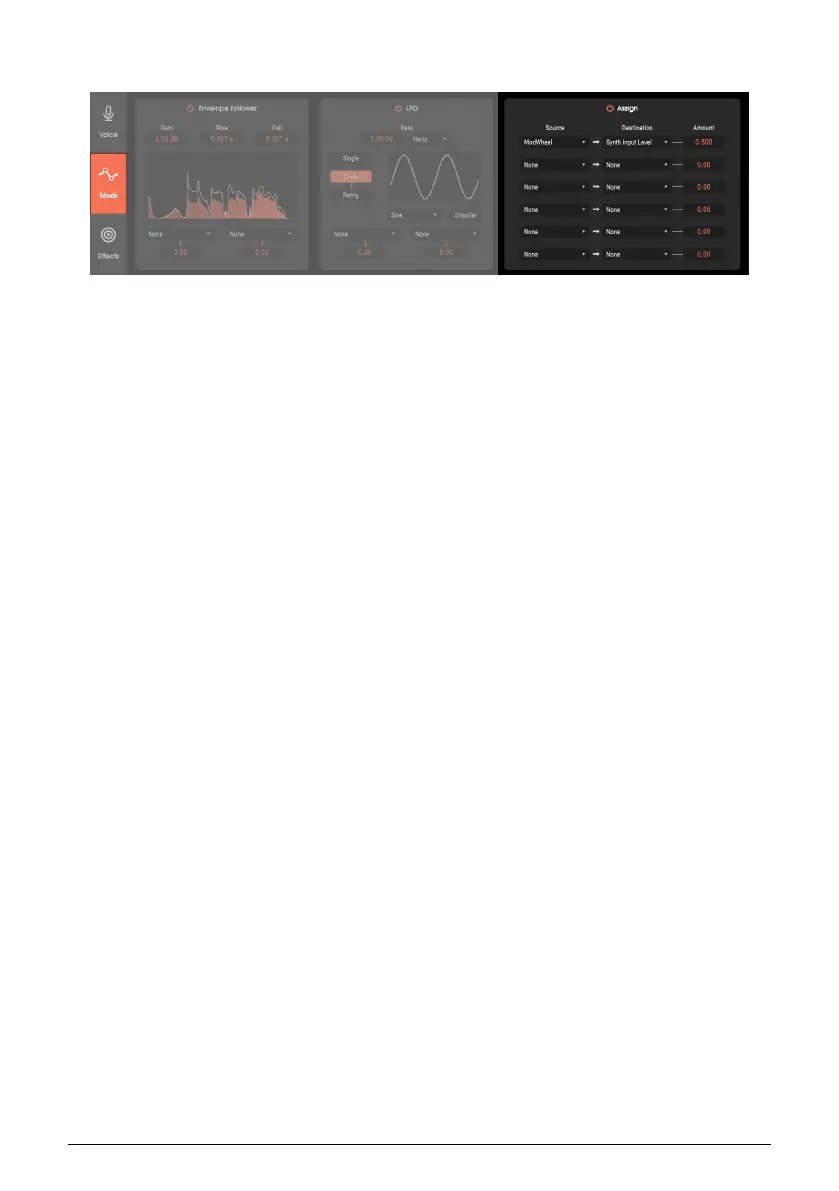
8.4. Assign Section
Unlike the dedicated Envelope Follower and LFO modulations, this general-purpose
modulation section has six slots into which you can insert a modulator, and then apply that
modulator to a destination. All modulator sources control the Carrier voices polyphonically,
except for the Mod Wheel, which affects all Carrier voices at once.
The Controls section Source and Destination are chosen from drop-down menus.
8.4.1. Control Sources
• Carrier Envelope The Attack/Release envelope from the carrier synth serves as
the source.
• Velocity This represents the dynamics with which you play your keyboard, or
other dynamically responsive controller.
• Keyboard Pitch acts the modulation source. The amount can be positive (keys
higher than C3 send a progressively higher control signal; keys lower than C3
send a progressively lower control signal) or negative (keys higher than C3 send
a progressively lower control signal; keys lower than C3 send a progressively
higher control signal).
• Aftertouch This source, also called pressure, corresponds to how hard you press
on a keyboard key after it’s down. In stand-alone mode, Vocoder V responds
to channel or polyphonic aftertouch, depending on what it receives. Channel
aftertouch transmits a control signal that represents the highest aftertouch value
in a group of keys that have pressure applied to them. Polyphonic aftertouch
generates a separate control signal for each key to which pressure is being
applied, but is not available as a modulation source when Vocoder V is used as
a plug-in.
• Mod Wheel Although this controller usually adds vibrato with synthesizers, it can
perform many other control functions.
56 Arturia - User Manual Vocoder V - Modulations Section












 To Next Page