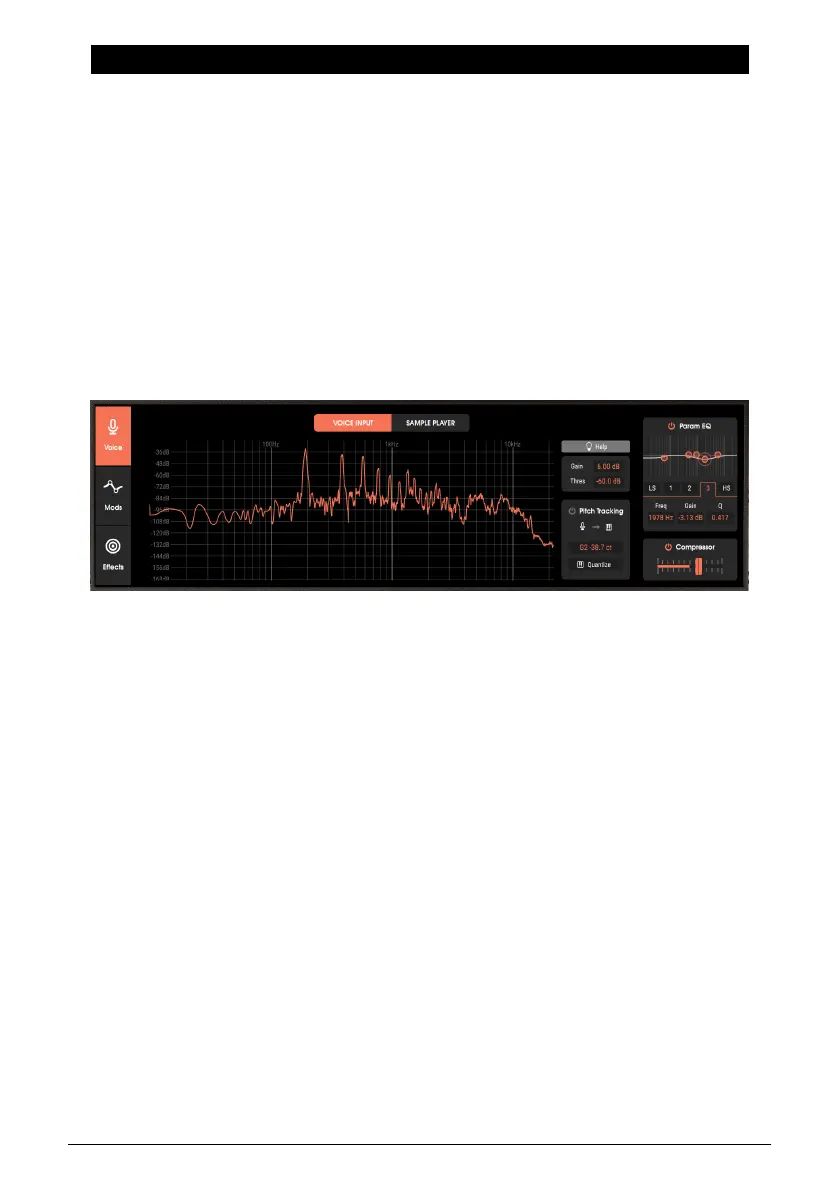
5. VOICE PAGE
5.1. Voice Page Basics
Clicking on the Advanced button opens the Voice panel, which feeds a signal that modulates
the synthesizer’s audio. This is what creates “talking instrument” and other effects. The Voice
page has two sections:
• The Voice Input feeds audio signals into Vocoder V in real time, such as audio from a
microphone or drum machine.
• The Sample Player plays back pre-recorded samples, which you trigger from a keyboard.
Note that both modules cannot be active at the same time—for example, you cannot play
back samples and vocode a microphone signal simultaneously.
5.2. Voice Input
The Voice Input section controls the external signal coming from a DAW’s track, or an audio
interface’s mic input in standalone mode. To simplify setting gain, the Visualizer screen
shows the signal level and frequency spectrum.
26 Arturia - User Manual Vocoder V - Voice page












 To Next Page