9.3. Parallel and Serial Effects Routing
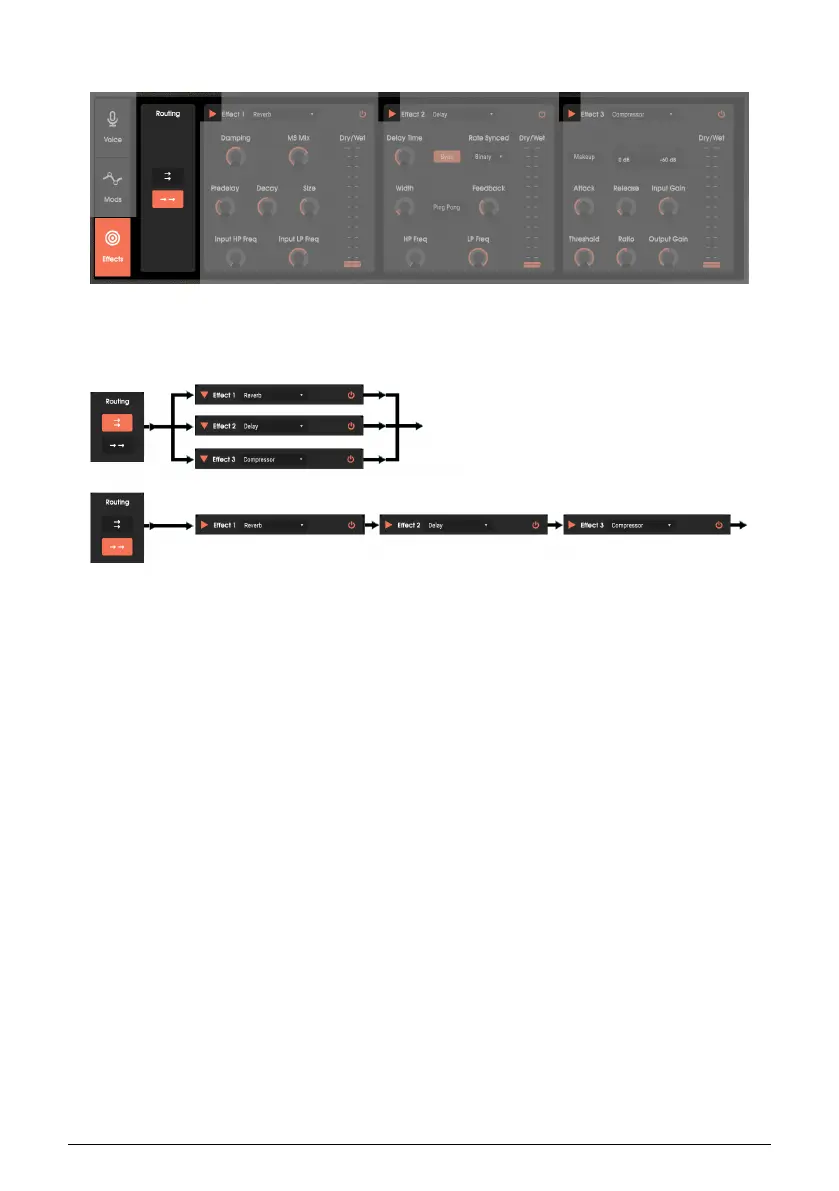
Routing chooses whether the effects are in parallel (top routing button) or in series (bottom
routing button). The arrows in each slot’s upper left point to the right for a series connection,
or down for a parallel connection.
The upper image shows the parallel connection routing. Vocoder V feeds the inputs of all
three effects slots, and all three outputs are mixed together.
The lower image shows the series connection routing. Vocoder V feeds the input of the first
slot. The first slot’s output feeds the second slot’s input, the second slot’s output feeds the
third slot’s input, and the third slot’s output provides Vocoder V’s final output.
60 Arturia - User Manual Vocoder V - The Effects












 To Next Page