9.4. Common Slot Controls
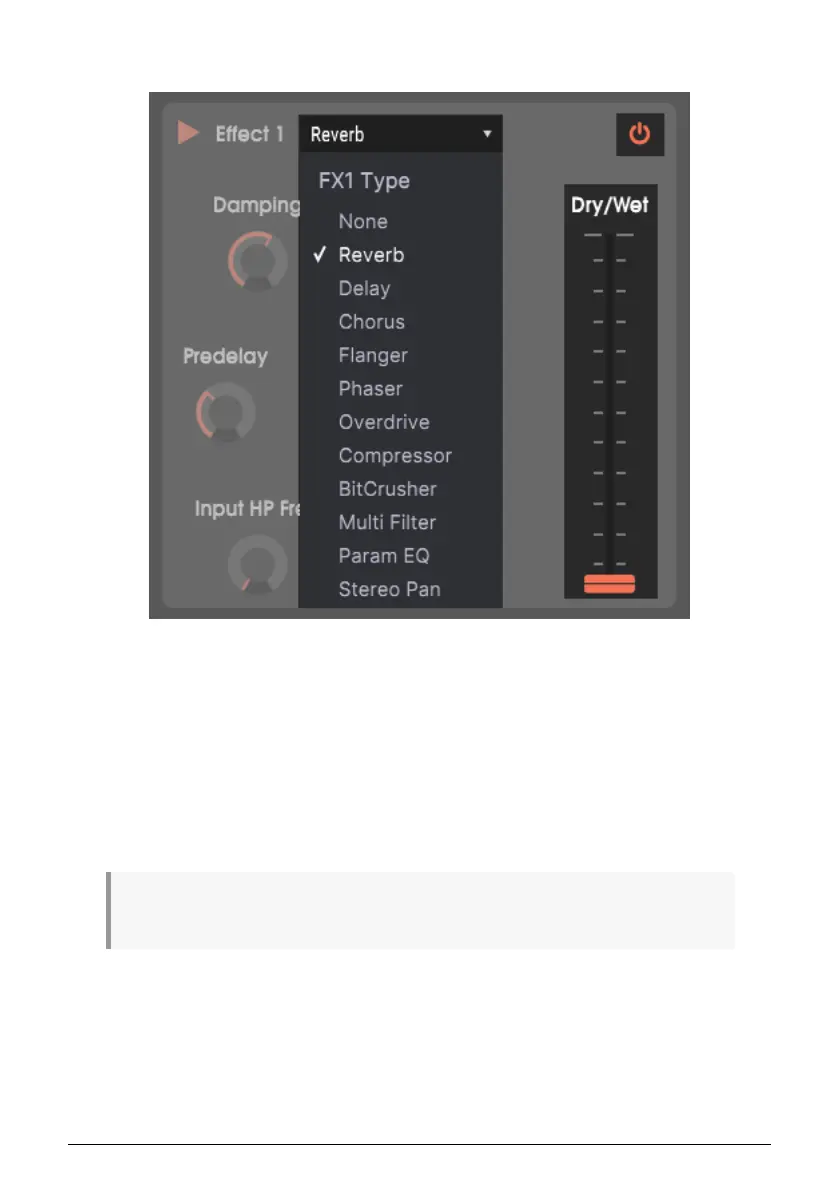
Each Slot has three common controls.
• Effects Selector Clicking on the effect name opens a drop-down menu that lists
all the available effects. Click on an effect to choose it for the slot.
• Effect On/Off The power button in the slot’s upper right enables or bypass the
effect.
• Dry/Wet Slider The Dry/Wet slider toward the slot’s right controls the percentage
of the input signal that passes through to the output without processing. With the
slider all the way up, the slot output is entirely processed sound. Moving the slider
down changes increases the percentage of the input sound until when the slider
is all the way down, the effect is the same as if it was bypassed.
Tip: All effect parameters are MIDI-assignable, so the MIDI “learn” function (see section 10 on MIDI
Control) can map effect parameters to the hardware controls on an external USB MIDI controller.
Arturia - User Manual Vocoder V - The Effects 61












 To Next Page