4.4.5. Unassigning or "un-learning" a MIDI mapping
Click on an assigned parameter to highlight it then press the delete button on the keyboard
to disconnect.
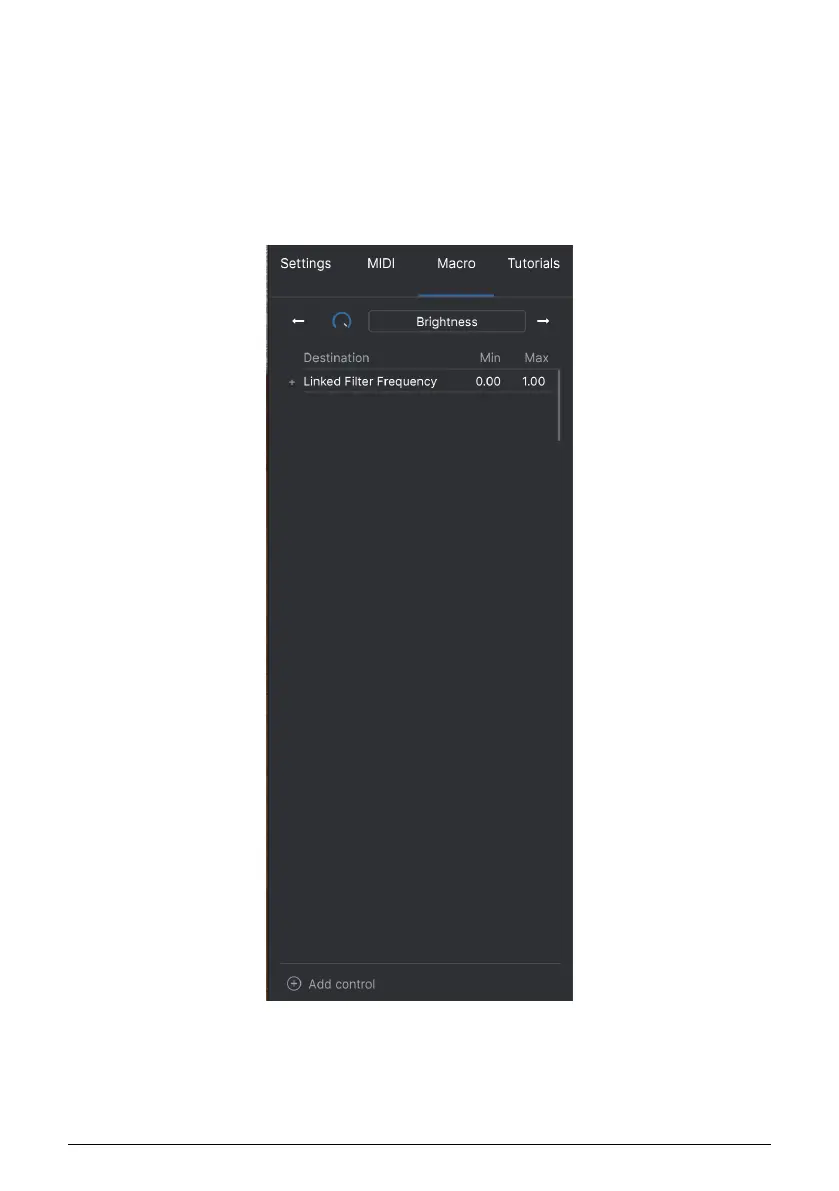
• Macro this function lets you setup the functionality of the macro section. Basically
a macro lets you change a group of parameters together and there are 4
available (you can see the status of the 4 macros along the lower toolbar). The
macro is selected using the back or forward arrows either side of the name and
if you click on the name it can be changed.
You can add extra controls into the macro by selecting "add control" and clicking on the
desired control on the panel. You will see it get added to the macro control list and you can
set upper and lower limits for each control. When you tweak one of the macro controls in
the lower toolbar you will see all the link controls move. Very handy indeed!
Arturia - User Manual Vocoder V - The User Interface 23












 To Next Page