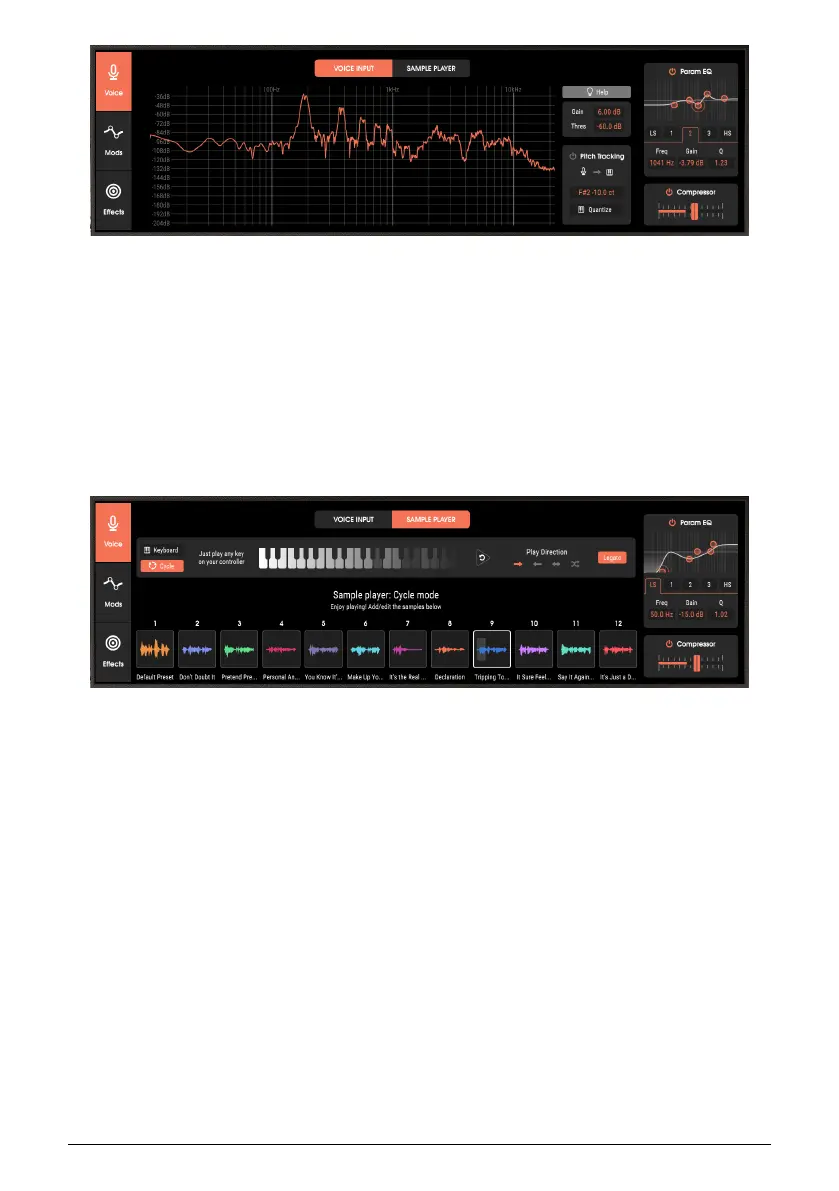
This accepts and adjusts the voice input, which is the most common modulator source
for vocoders. However, it can accept other audio as well, such as drums. There’s also a
pitch tracking feature, which detects the pitch of monophonic signal sources (like voice) and
triggers corresponding notes in the synthesizer. This allows you to “sing” a synthesizer part.
Pitch tracking can work with other monophonic audio sources, like single-note guitar lines
(good for creating guitar synthesizer effects), flute, and the like.
A parametric EQ and compressor, located at the output of this section, processes the input
prior to passing it along to the main vocoder section.
3.1.2. Sample Player
The Sample Player offers several useful features. Instead of needing to always rely on real-
time audio input, you can store 12 important phrases, drum fills, and even complete vocal
parts, then use these to provide an audio input to the vocoder section. (The samples can be
stereo, but they will be summed to mono prior to being vocoded.) Use a keyboard or other
source of MIDI control signals to trigger samples, or step through them sequentially with
newly played notes. Samples can also be time-stretched to fit particular rhythmic values,
and looped. Note that the Sample Player and Voice Input can’t be used simultaneously.
12 Arturia - User Manual Vocoder V - Overview












 To Next Page