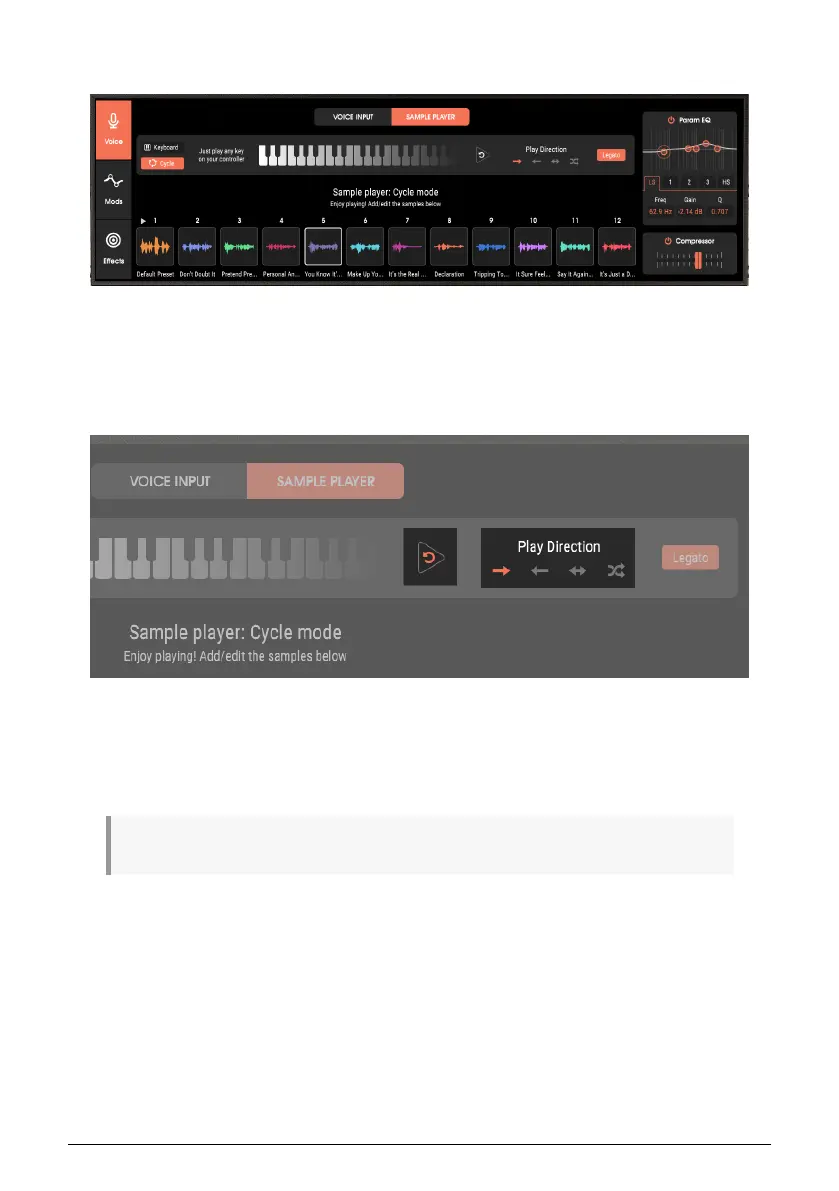
5.3.2.2. Cycle Mode
With this mode, each new note or chord triggers the next sample in the chain, based on the
selected Play Direction, as selected to the right of the keyboard graphic.
Play Direction Controls
Play Direction options through the chain are forward, backward, forward/backward, and
random.
Clicking the Reset button to the left of the Play Direction options returns playback to the
chain’s beginning.
♪: A MIDI Start message also performs a reset.
34 Arturia - User Manual Vocoder V - Voice page












 To Next Page