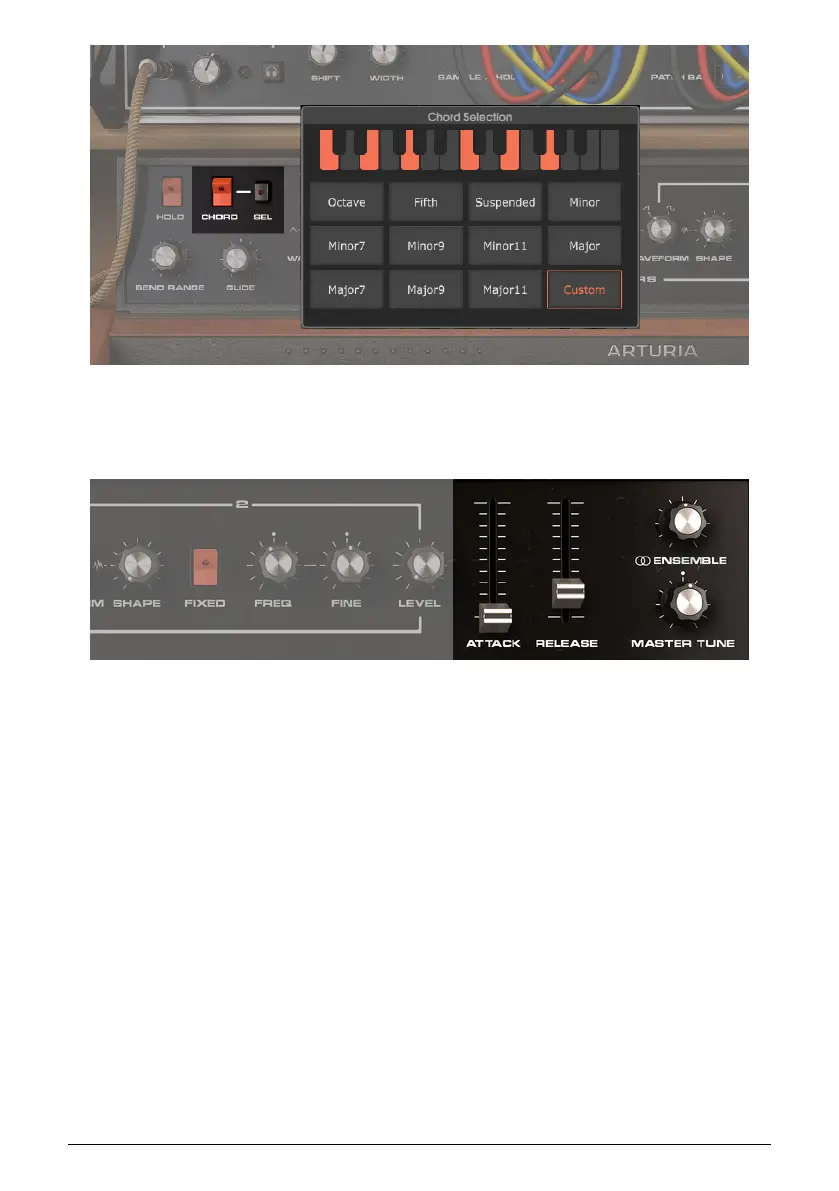
After choosing the chord, enable Chord. Now, hitting the root note of a chord will play the
full Chord type you chose with the Chord Selection function.
Here are the Global controls toward the right side.
• Attack Applies an amplitude envelope fade-in time to the synthesizer and sample
player envelopes, from 0.002 to 20 seconds. This allows fading in on a sound
automatically whenever you play a key or keys.
• Release Sets the time for the synthesizer and sample player envelopes to fade
out after you release your fingers from the keys, also from 0.002 to 20 seconds.
• Ensemble Adds a rich, thick quality to the sound, like synthesizers playing in an
ensemble. Turning it further clockwise thickens the sound and widens the stereo
image.
• Master Tune Changes the base pitch from the standard A = 440 Hz concert pitch
to as low as 400 Hz, or as high as 480 Hz. Use this to accommodate out-of-tune
instruments, or with certain types of music that are not based on the A = 440 Hz
pitch standard.
Arturia - User Manual Vocoder V - Carrier Synthesizer 45












 To Next Page