Doc ID: ADR111A _IM_01
Ref ID: ADR111A /IM/PC-SI
Rev No. : 04
Page No. : 46 of 127
ADR111A /
ADR211A
3.2 Relay Talk software
Following is a brief step-by-step instruction to download relay data using ASHIDA
Relay Talk software
• Start Relay Talk program from program menu
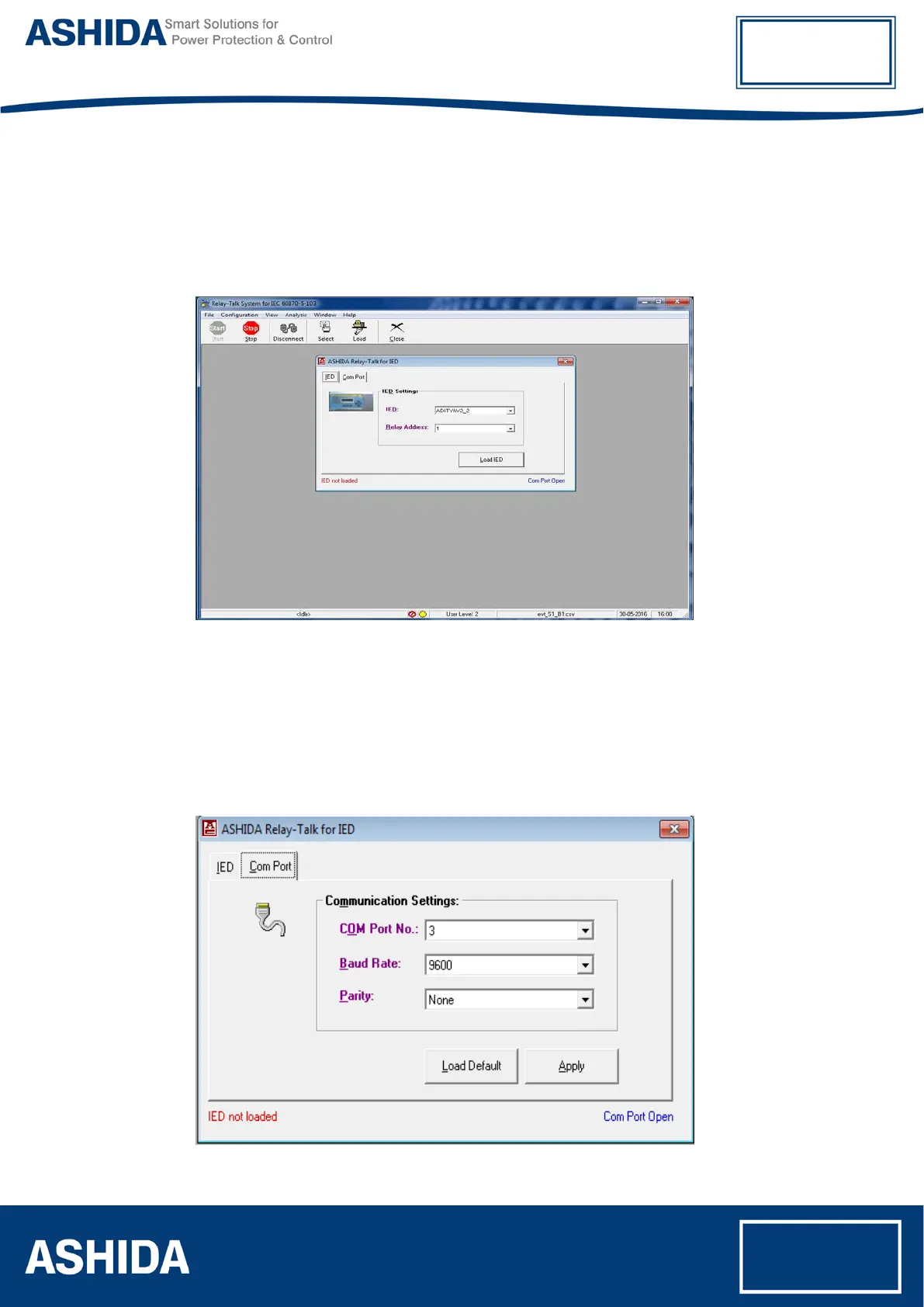
Following is the main screen of Relay talk system.
Figure 1: Main screen of Relay talk system
For successful communication, setting of relay should match with software settings. In relay
Talk software, there are numbers of settings. Here we had shown only essential for
ADR211A relay
To check communication setting click Com Port button:
After pressing Com Port button display will show following screen, and follow steps
Figure 2 Communication Setting



 To Next Page