NUMERICAL OC/EF PROTECTION RELAY ADR141C/241C
ASHIDA Electronics Pvt. Ltd.
Ref: Manual / ADR141C / 241C
Issue: 04D
Date : 10.07.2014
Page 78/86
10.6. History Fault
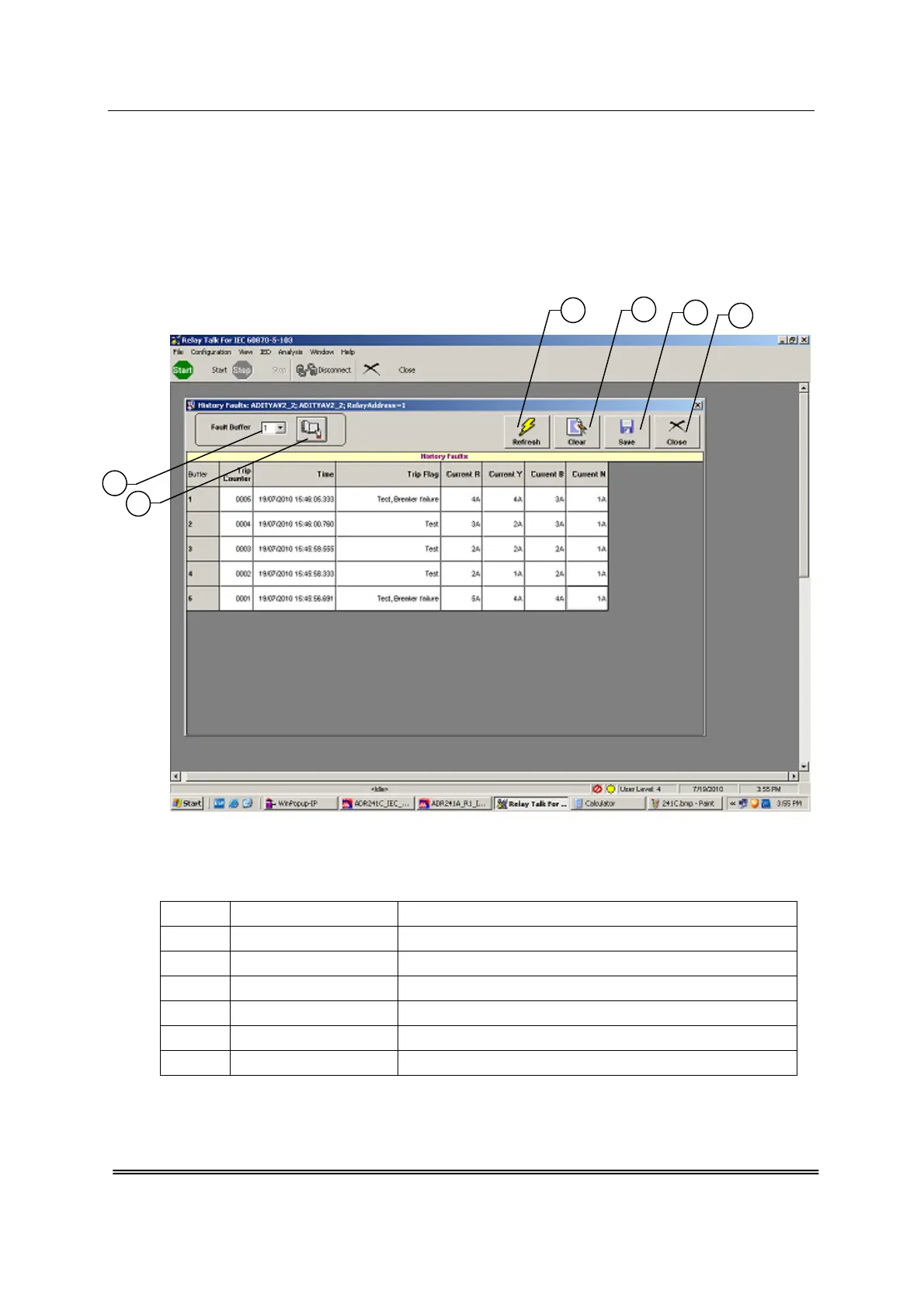
Now when the History fault is selected the following window is displayed.
This window shows last 5 Fault events i.e. Trip Counter, Date & Time of the Faults, Type of
faults and present current values.
Fig. 10.15
The windows/Buttons functions are as follows
Sr. No. Name Description
1 Fault Buffer To view the fault buffer number
2 Read Fault To read the fault selected in the fault buffer
3 Refresh Fault To refresh all windows and parameters
4 Clear Fault display To clear the screen
5 Save Fault data To Save the Fault data
6 Close To close the History fault window
2
1
3
4
5
6



 To Next Page