Conguring the Unit via its Web Interface
Transmitters (Outputs)
ENC 1201 Version 1.0 Page 39
The tabs allow you to view the levels (–126dBFS~0dBFS) of the corresponding output
channels. If necessary, the levels of the Line outputs can be changed using the “Trim”
(p.38) parameter.
4.6.3 Transmitters(Outputs)>Labels
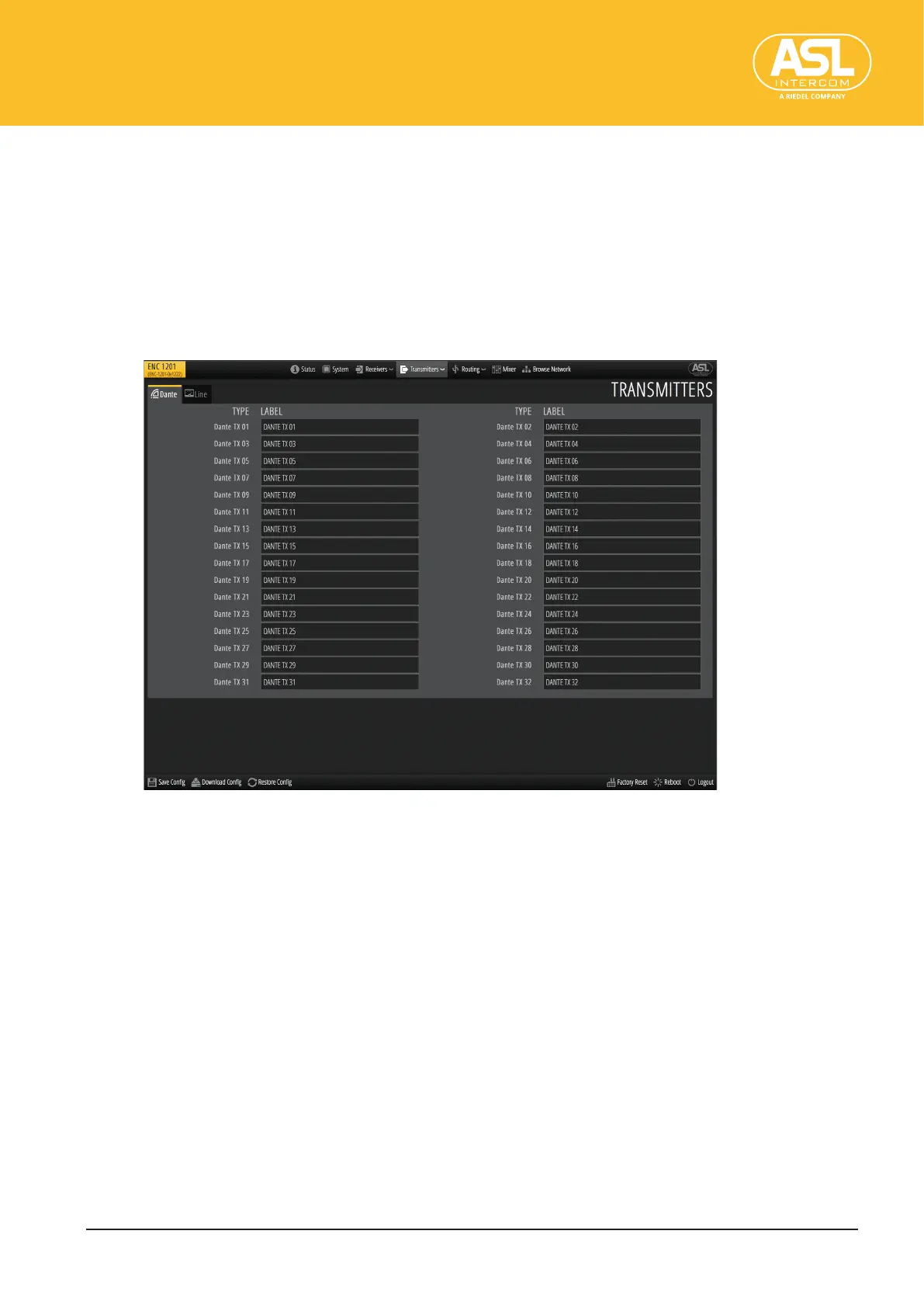
By default, all output channels have names based on their types, like “01DANTE TX” for
the rst Dante output. This pane allows you to assign more meaningful names.
The channels are grouped by type and displayed on separate tabs. Be sure to check
whether you have selected the correct tab before changing any labels.
Type
Channel type and its number.
Label
The text eld displays the channel’s current name.
To edit a label, click the eld, enter the desired name and press the ENTER key on the
computer keyboard or mobile device.


 To Next Page