Conguring the Unit via its Web Interface
Browse Network
ENC 1201 Version 1.0 Page 45
LEVEL
The source level can be changed in steps of 0.5dB using the fader. The setting range is
–91dB~24dB. The signal level can be lowered or boosted.
The value eld to the right of the fader allows you to enter more precise values (in steps
of 0.1dB).
PAN
Each source has its own PAN fader. This allows you to set the source’s stereo position.
When the fader is moved towards the center, it automatically clicks into place at the dead
center position. You can also double-click the fader to set it to dead center.
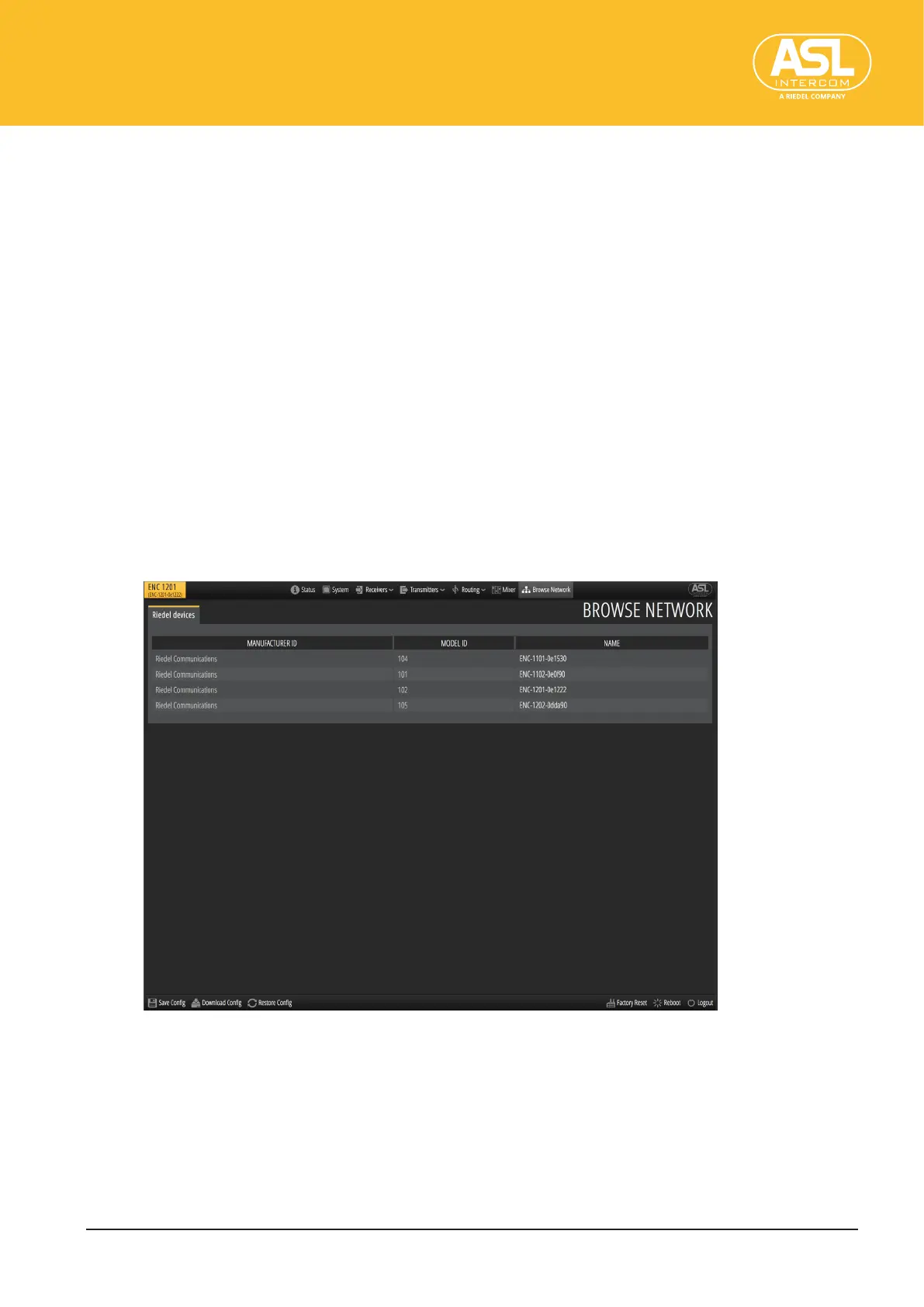
4.9 BrowseNetwork
This is where the ENC 1201 displays all Dante devices it discovered on the network.
There are three columns that display the manufacturers, the model numbers and the
device names.
For ENCHORUS-series devices, you can double-click the name to open that device’s
web interface in a new browser window. This makes it easier to congure all available
ENCHORUS devices without rst entering their IP addresses.


 To Next Page