Home
ASPERA
Cell Phone
R6
Page 29
ASPERA R6 - Page 29
39 pages
Manual
Save Page as PDF
To Next Page
To Next Page
To Previous Page
To Previous Page
Loading...
27
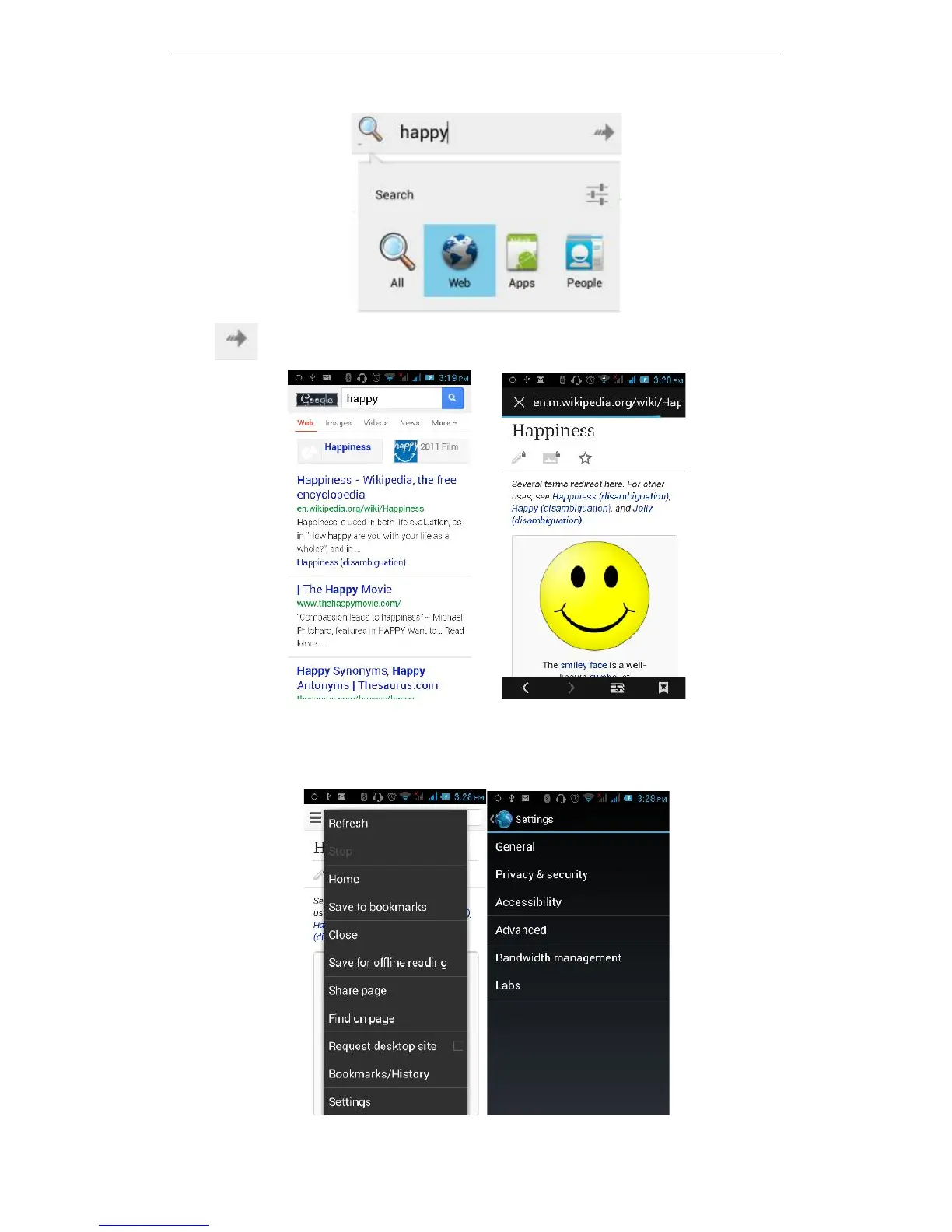
Click
,
to see the sear
ch
result
s:
Clicking
on
t
he
menu
ke
y
on
the
main
page,
you
can
refre
sh
,
close,
save
to
bookmark
,
share
web p
ages,
check
se
ttings, etc.
28
30
Table of Contents
Main Page
Table of Contents
2
Basic Knowledge
4
Brief Introduction
4
General Considerations
4
Battery Precautions
4
Charging Your Mobile Phone
5
Charger Precautions
5
Cleaning and Maintenance
5
Introduction
6
Icons
6
Phone Layout
7
Booting Your Phone
8
Insert and Remove SIM Card
8
Power On/Off
8
Unlock SIM Card
8
Unlock Screen
9
Basic Functions
9
File Manager
9
Play Store
10
E-Mail
13
Dialing
14
Calculator
15
Browser
15
Recorder
16
Calendar
17
Settings
18
SIM Management
18
Wi-Fi
18
Bluetooth
20
Data Usage
20
Glove Mode
20
Audio Profiles
21
Display
23
Storage
23
Apps
24
Location
24
Security
24
Language and Input
25
SOS Setting
25
PTT Settings - for Programmable Key
25
Backup & Reset
25
Screen Gestures
25
Date & Time
25
Schedule Power on & off
26
Accessibility
26
Developer Options
27
About Phone
27
Clock
27
FM Radio
27
Google Search
28
Voice Search
30
Contacts
30
Images
31
Camera
32
Message
33
Music Player
34
Maps
35
Todo
36
Video
36
Notebook
37
Common Problems & Solutions
38
Related product manuals
ASPERA R3
49 pages
ASPERA R5
27 pages
ASPERA F28
37 pages
ASPERA F40
36 pages
ASPERA F46
37 pages
ASPERA Jazz 2
36 pages
ASPERA F42
68 pages
ASPERA Wren
36 pages
ASPERA F48
46 pages



 To Next Page