64 HOME SERVER TS mini
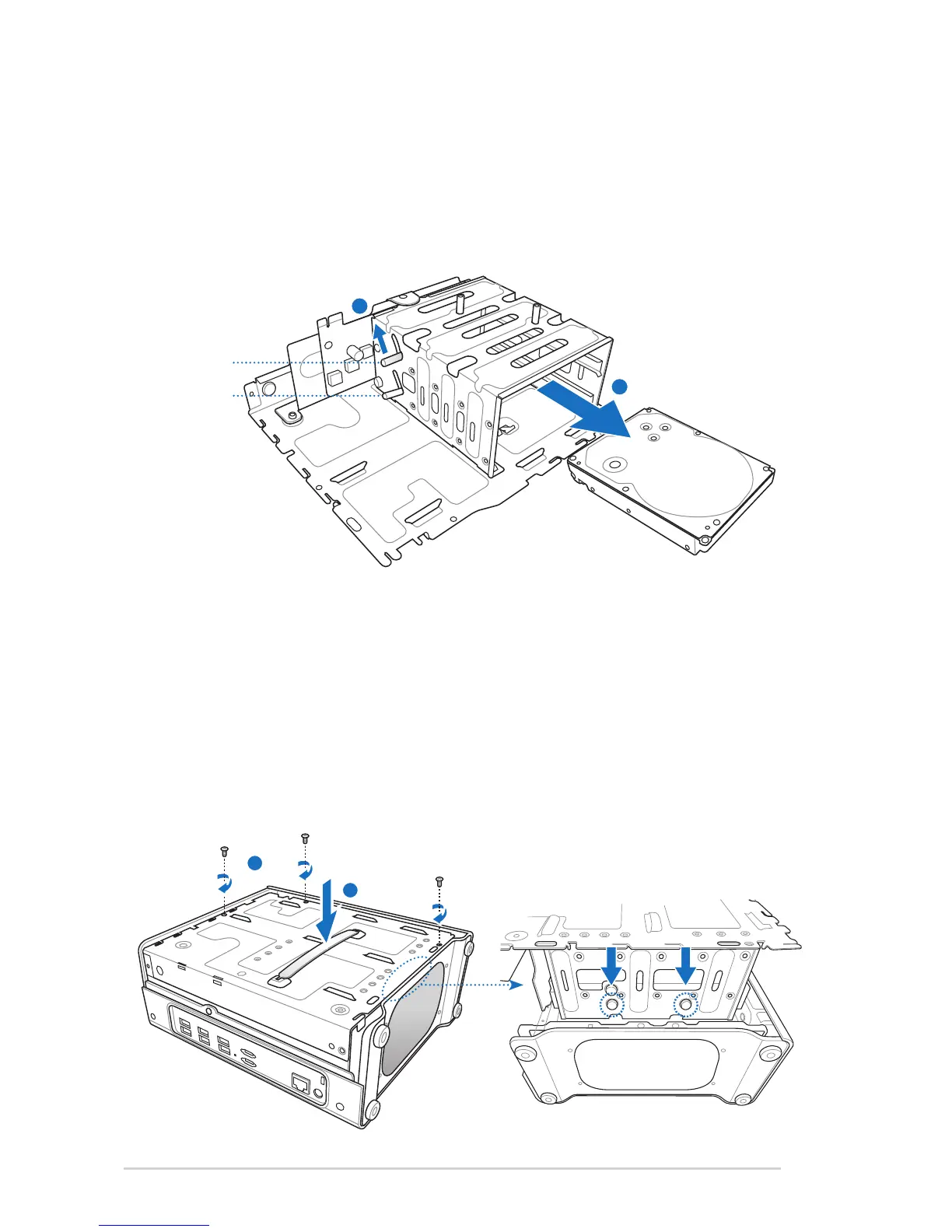
(e) Reverse and place the HDD cage on the stable surface.
(f) Lift the release grip corresponding to the HDD bay where
the HDD to be removed are located.
(g) Slide the HDD from the HDD bay.
(h) Hold the plastic grip and align the two pins on the HDD
cage as shown to the mounting holes. Push down the HDD
cage to the right side case.
(i) Fasten the three screws which were removed and put aside
at the beginning.












 To Next Page