104
4.2 Firmware Restoration
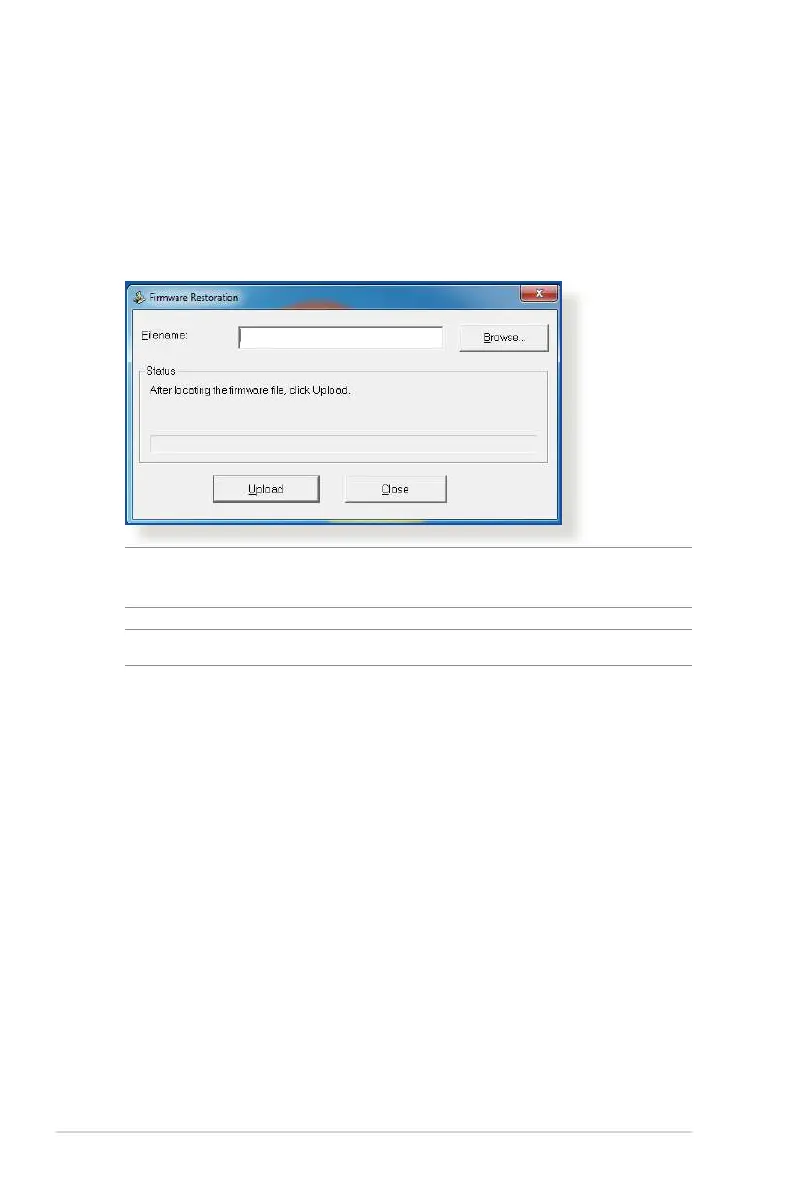
Firmware Restoration is used on an ASUS Wireless Router that
failed during its firmware upgrading process. It uploads the
firmware that you specify. The process takes about three to four
minutes.
IMPORTANT! Launch the rescue mode on the router before using
the Firmware Restoration utility.
NOTE: This feature is not supported on MAC OS.
To launch the rescue mode and use the Firmware Restoration
utility:
1. Unplug the wireless router from the power source.
2. Hold the Reset button at the rear panel and simultaneously
replug the wireless router into the power source. Release the
Reset button when the Power LED at the front panel flashes
slowly, which indicates that the wireless router is in the rescue
mode.
3. Set a static IP on your computer and use the following to set up
your TCP/IP settings:
IP address: 192.168.1.x
Subnet mask: 255.255.255.0


 To Next Page
 Loading...