47
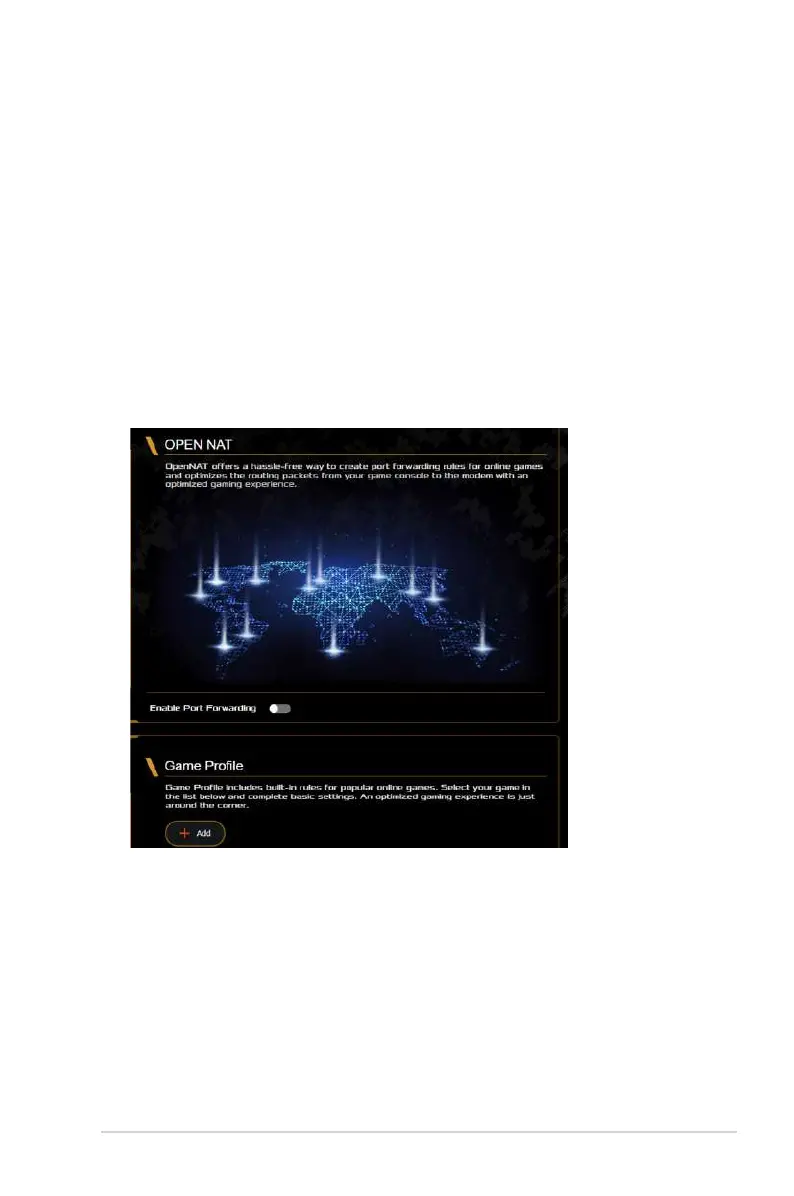
3.8.2 Open NAT
Open NAT offers a hassle-free way to create port forwarding
rules for online games and optimizes the routing packets from
your game console to the modem with an optimized gaming
experience.
When playing PC or console games, there may be some
connection issues due to the ISP or router settings in your
environment such as NAT and port blocks. Game Profile helps
ensure that TUF Gaming Wireless Router is not blocking the game
connection.
To configure Open NAT:
1. From the navigation panel, go to General > Open NAT.
2. Slide on Enable Port Forwarding.
3. From the Game Profile, click Add to select a game and
complete basic settings.
4. Click OK.


 To Next Page
 Loading...