92
3.20 Wireless
3.20.1 General
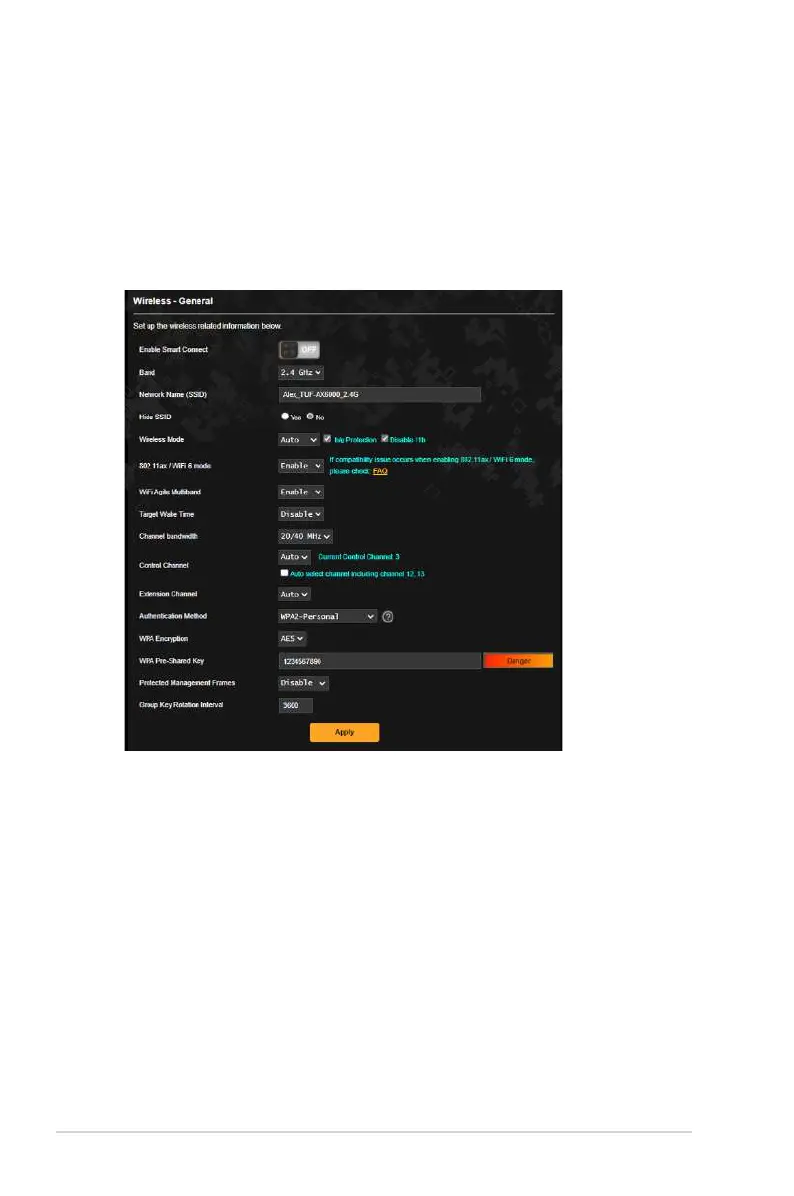
The General tab allows you to configure the basic wireless
settings.
To configure the basic wireless settings:
1. From the navigation panel, go to Advanced Settings >
Wireless > General.
2. Select 2.4GHz or 5GHz as the frequency band for your wireless
network.
3. If you want to use the Smart Connect function, move the
slider to ON in the Enable Smart Connect field. This function
automatically connect the clients in your network to the
appropriate band 2.4GHz or 5GHz for optimal speed.


 To Next Page
 Loading...