30
3.5 AiMesh
3.5.1 Before setting
Preparing to setup an AiMesh Wi-Fi system
1. Two (2) ASUS routers (models supporting AiMesh:
https://www.asus.com/AiMesh/).
2. Assign one as AiMesh router, and another one as AiMesh node.
NOTE: If you have multiple AiMesh routers, we recommend using
the router with the highest specifications as your AiMesh router and
the others as AiMesh nodes.
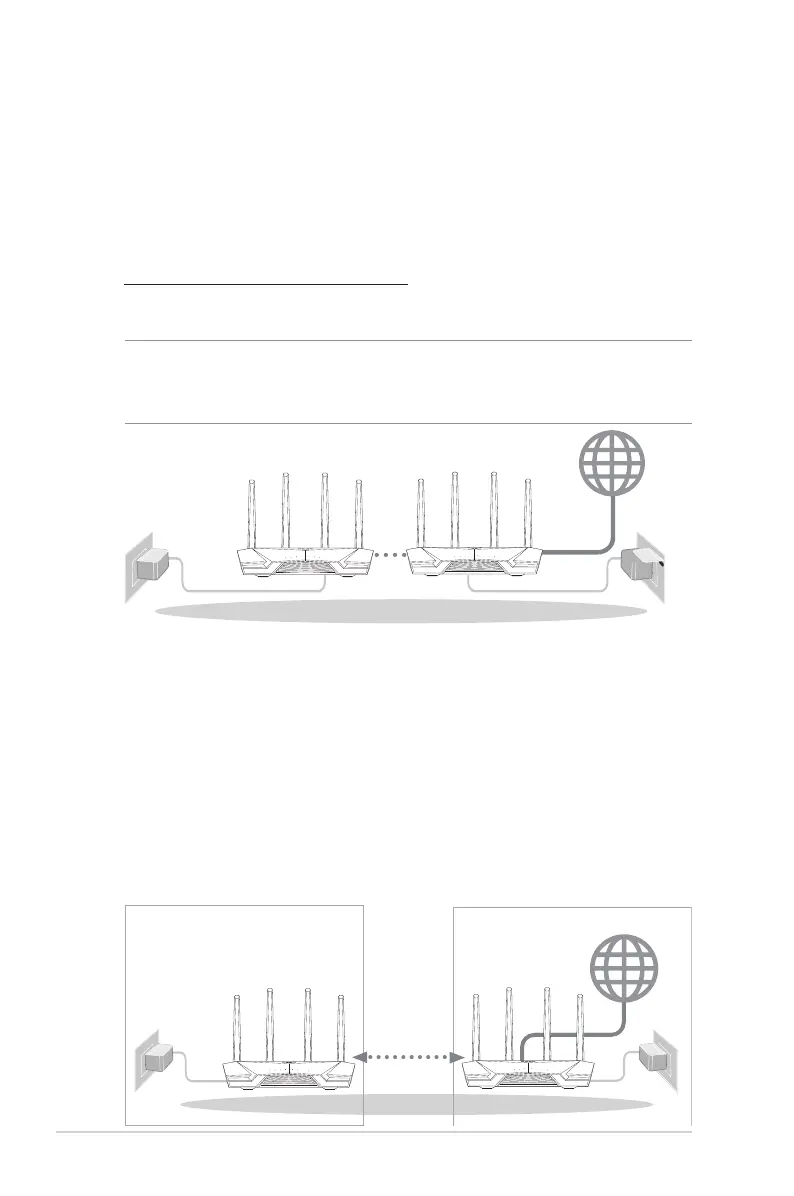
AiMesh routerAiMesh node
3.5.2 AiMesh Setup steps
Prepare
Place your AiMesh router and node within 1-3 meters of each
other during the setup process.
AiMesh node
Factory default status. Keep power on and standby for AiMesh
system settings.
within
1-3 meters
AiMesh routerAiMesh node


 To Next Page
 Loading...