46
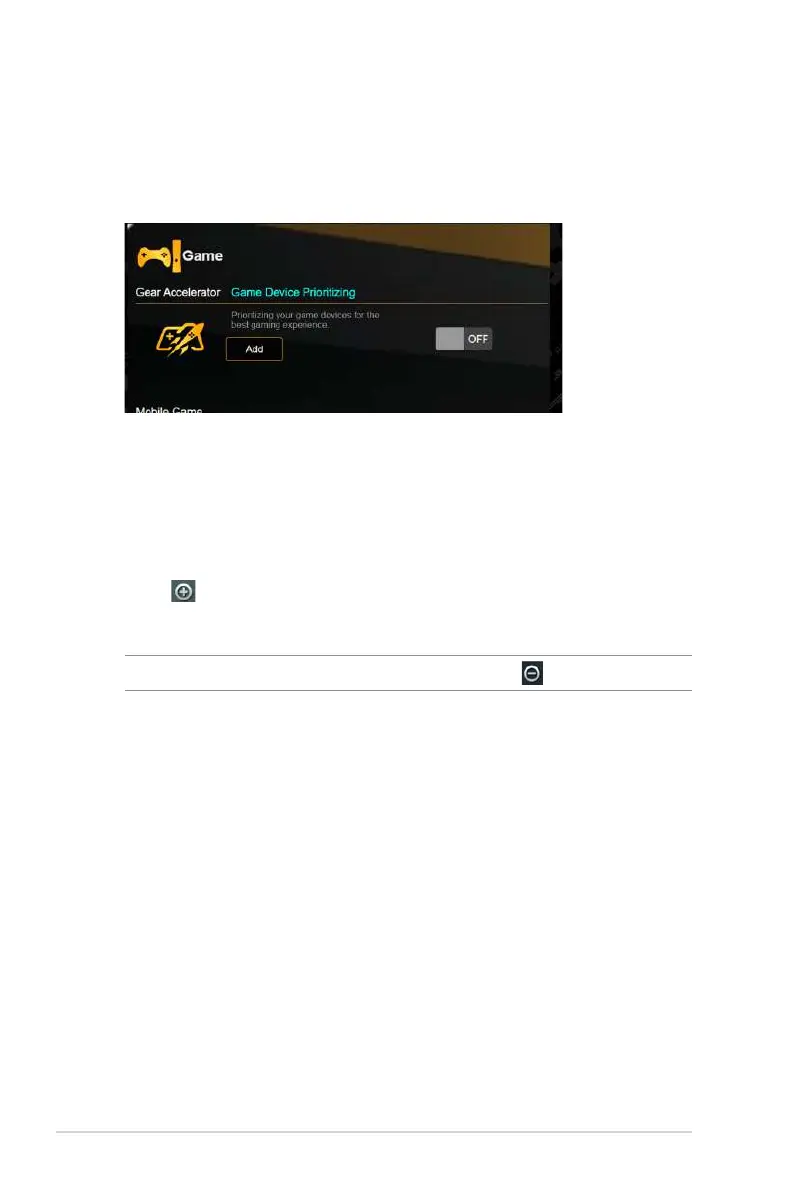
3.8.1 Gear Accelerator
Gear Accelerator allows you to prioritize game devices wirelessly
via online control panel for the best gaming experience.
To configure Gear Accelerator:
1. From the navigation panel, go to General > Game.
2. From the Gear Accelerator pane, click ON.
3. After applying setting, click Add to choose the client name.
4. Click to add the client’s profile.
5. Click Apply to save the settings.
NOTE: If you want delete the client profile, click .


 To Next Page
 Loading...