50
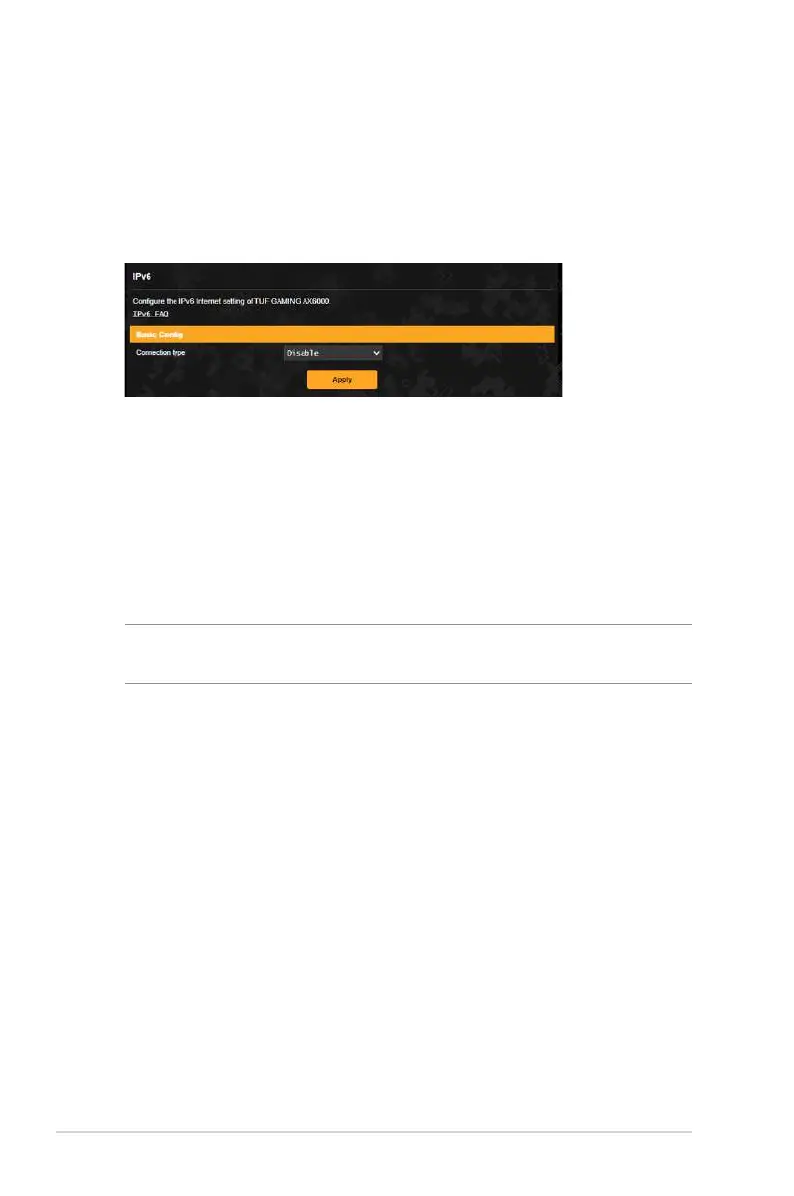
3.10 IPv6
This wireless router supports IPv6 addressing, a system that
supports more IP addresses. This standard is not yet widely
available. Contact your ISP if your Internet service supports IPv6.
To set up IPv6:
1. From the navigation panel, go to Advanced Settings > IPv6.
2. Select your Connection type. The configuration options vary
depending on your selected connection type.
3. Enter your IPv6 LAN and DNS settings.
4. Click Apply.
NOTE: Please refer to your ISP regarding specific IPv6 information
for your Internet service.


 To Next Page
 Loading...