19
3 Configuring the General and 3 Configuring the General and
Advanced SettingsAdvanced Settings
3.1 Logging into the Web GUI
Your TUF Gaming Wireless Router comes with an intuitive web
graphical user interface (GUI) - TUF Gaming Center, which gives
you total network control, with need-to-know information such as
connected device status and worldwide game-server ping values,
and instant access to all the amazing gaming features.
NOTE: The features may vary with different firmware versions.
To log into the web GUI:
1. On your web browser, manually key in the wireless router’s
default IP address: http://www.asusrouter.com.
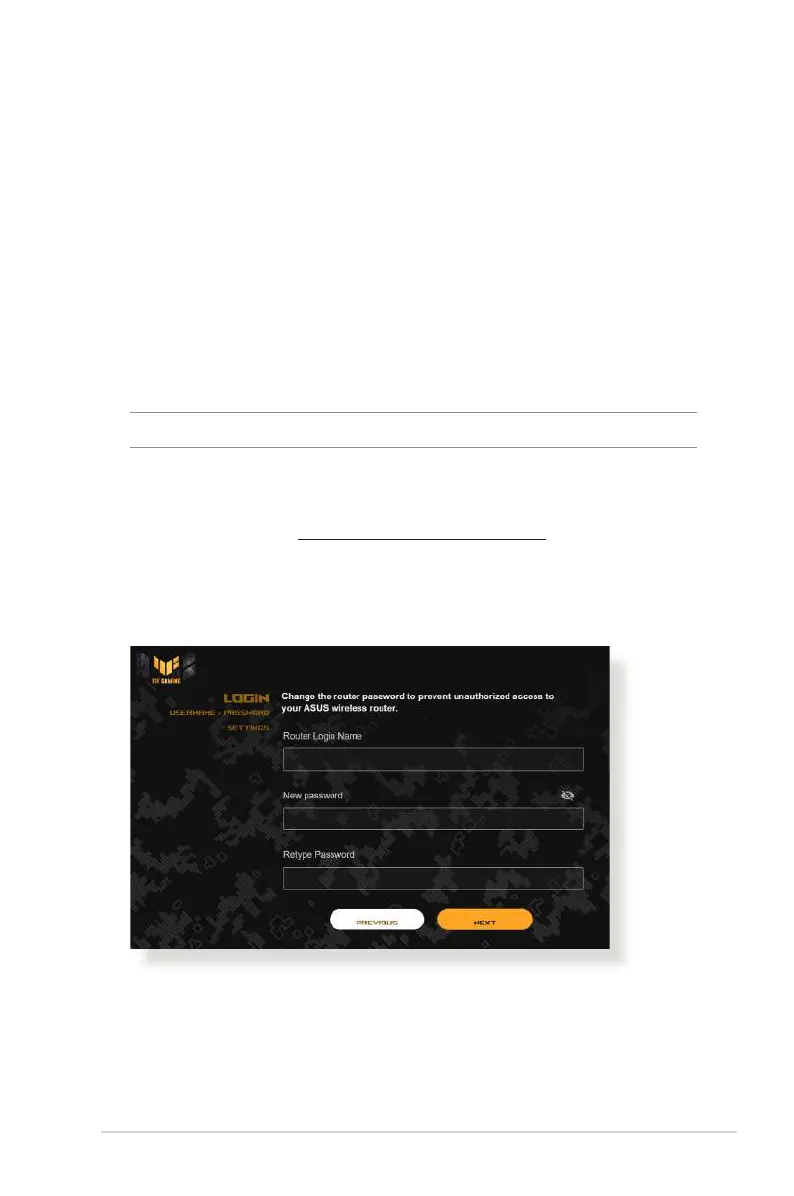
2. On the login page, key in the default user name (admin) and
the password that you have set in 2.2 Quick Internet Setup
(QIS) with Auto-dection.
3. You can now use the Web GUI to configure various settings of
your ASUS Wireless Router.



 To Next Page
 Loading...