13
2. The web GUI launches automatically when you open a web
browser. If it does not auto-launch, enter
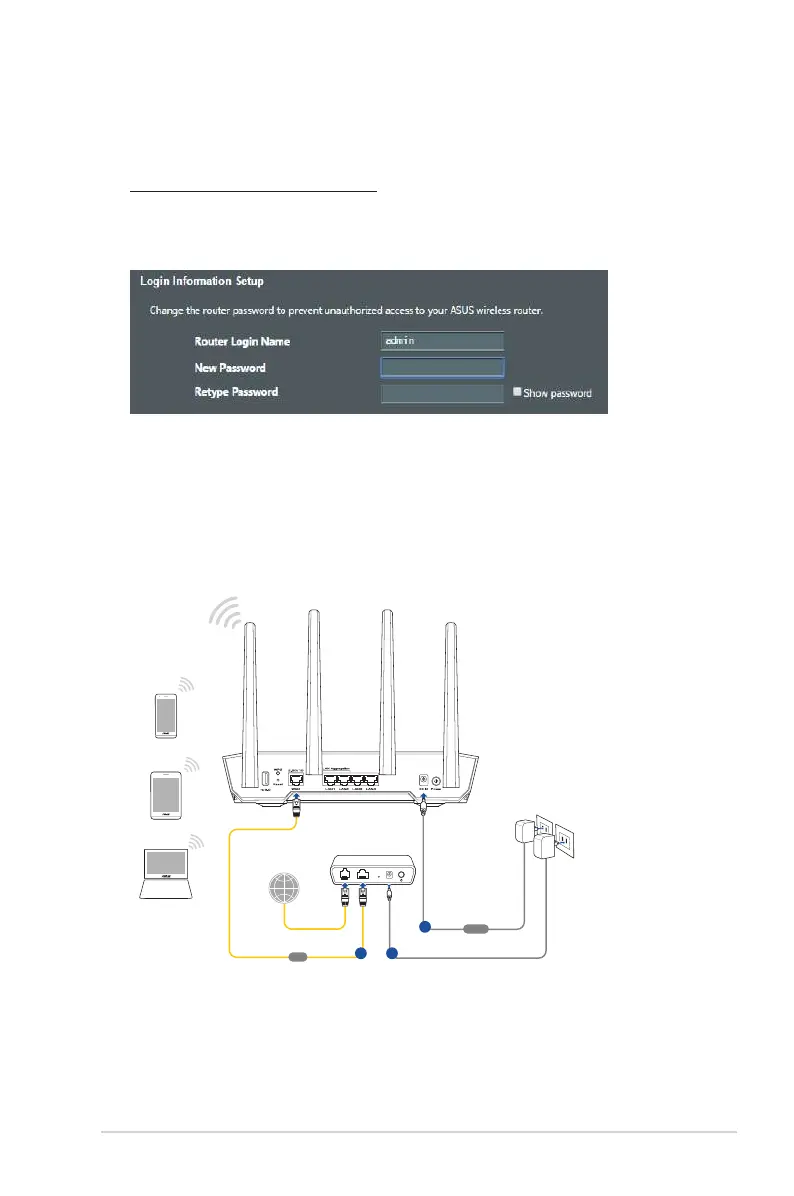
http://www.asusrouter.com
3. Set up a password for your router to prevent unauthorized
access.
B. Wireless connection
To set up your wireless router via wireless connection:
1. Plug your router into a power outlet and power it on.
2. Connect to the network name(SSID) shown on the product
label on the back side of the router. For better network security,
change to a unique SSID and assign a password.
TUF-AX4200
Modem
LINE LAN RESET PWR
WAN
b
Laptop
Tablet
Smart phone
Wall Power Outlet
Power
a
c


 To Next Page
 Loading...