68
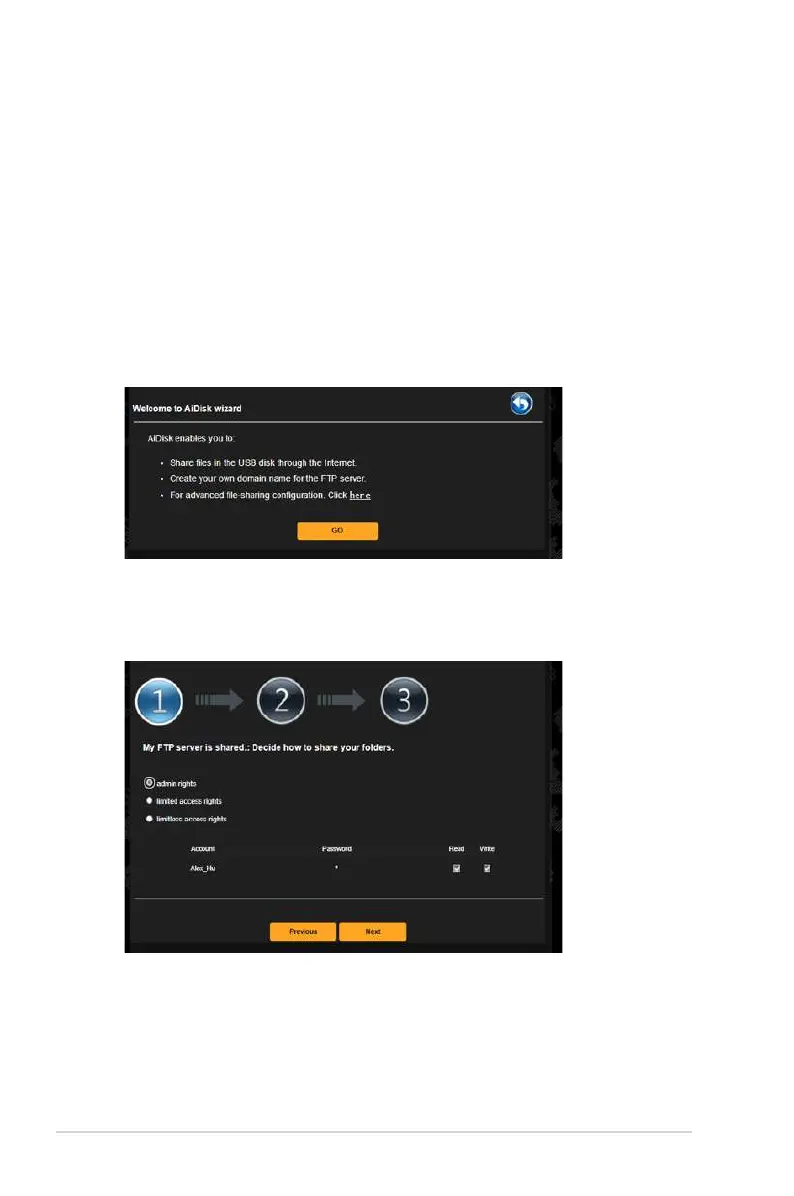
3. Select the access rights that you want to assign to the clients
accessing your shared data.
3.17.1 Using AiDisk
AiDisk allows you to share files stored on a connected USB device
through the Internet. AiDisk also assists you with setting up ASUS
DDNS and an FTP server.
To use AiDisk:
1. From the navigation panel, go to General > USB Application,
then click the AiDisk icon.
2. From the Welcome to AiDisk wizard screen, click Go.


 To Next Page
 Loading...