54
3.11.3 Route
If your network makes use of more than one wireless router, you
can configure a routing table to share the same Internet service.
NOTE: We recommend that you do not change the default route
settings unless you have advanced knowledge of routing tables.
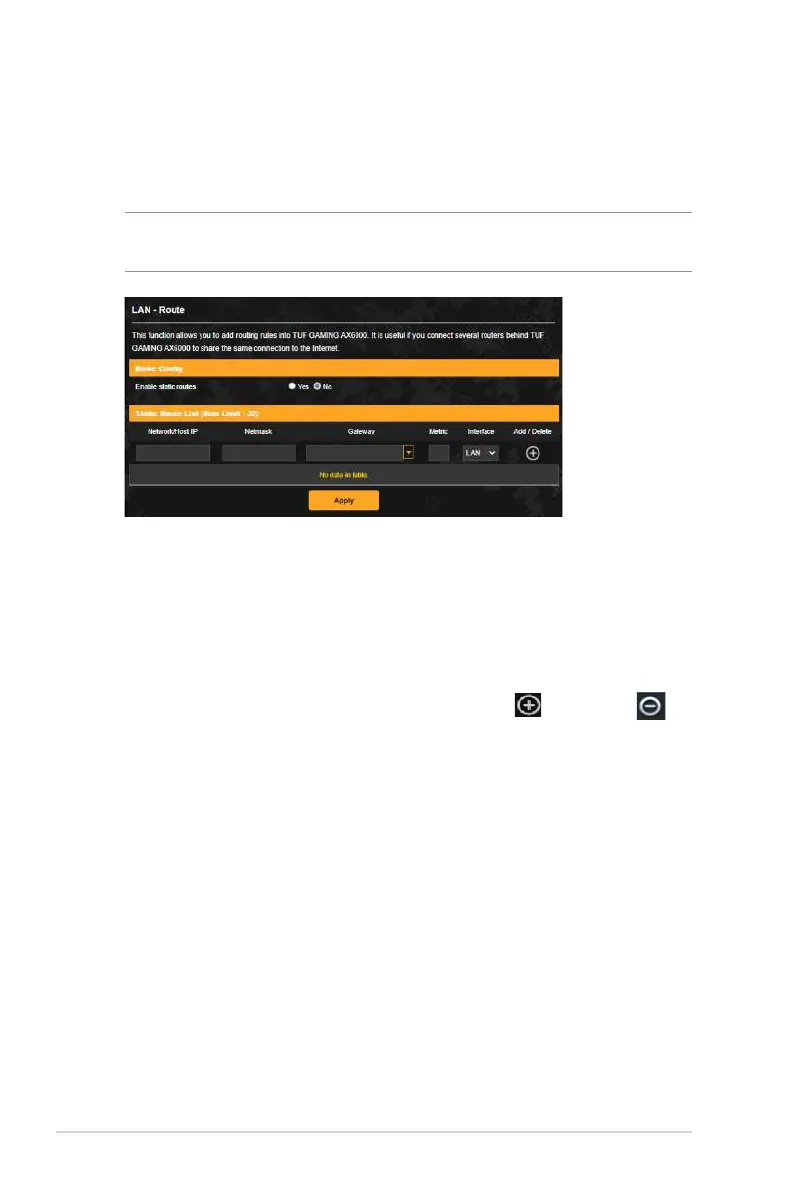
To configure the LAN Routing table:
1. From the navigation panel, go to Advanced Settings > LAN >
Route.
2. On the Enable static routes field, choose Yes.
3. On the Static Route List, enter the network information of
other access points or nodes. Click the Add or Delete
button to add or remove a device on the list.
4. Click Apply.


 To Next Page
 Loading...