66
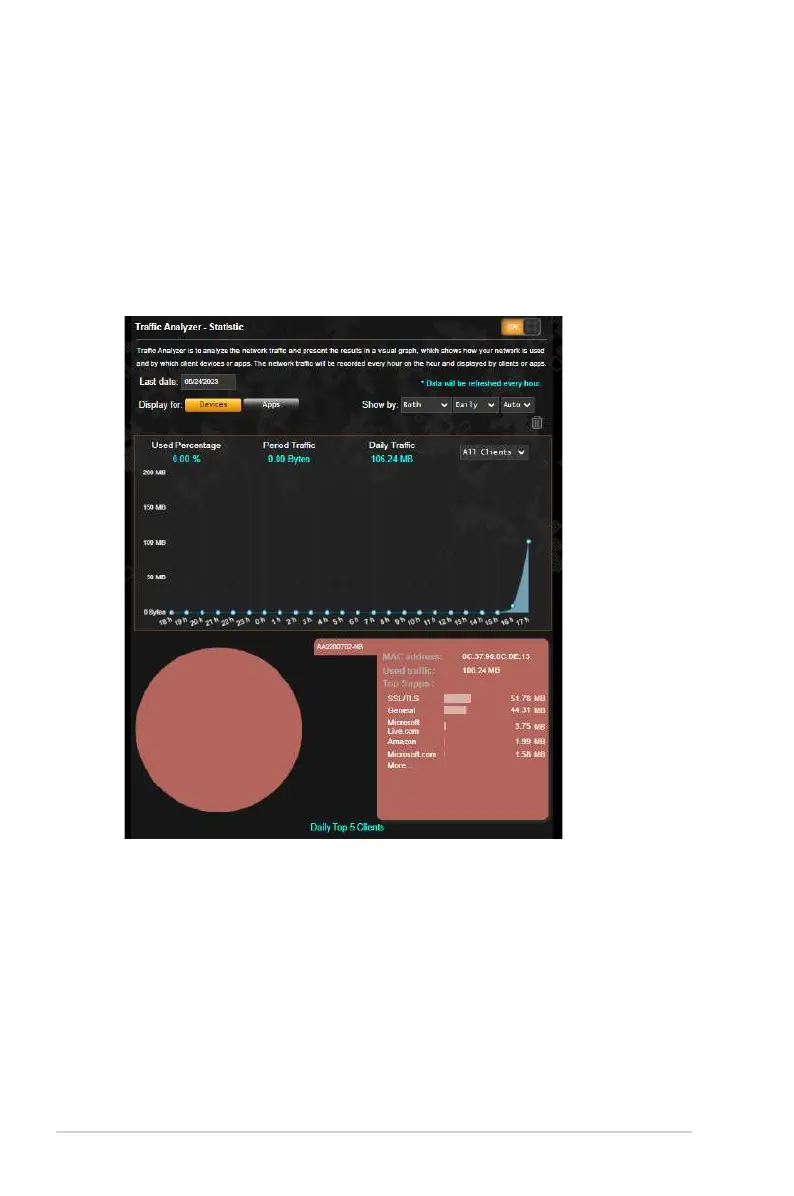
3.16 Traffic Analyzer
Traffic Analyzer gives you an at-a-glance view of what’s happening
on your network on a daily, weekly, or monthly basis. It lets you
to quickly see each user’s bandwidth usage or the device or
app used, helping you reduce the bottlenecks in your Internet
connection. It’s also a great way to monitor the users’ Internet
usage or activities.
To configure the Traffic analyzer:
1. From the navigation panel, go to General > Traffic Analyzer.
2. From the Traffic Analyzer main page, turn on traffic analyzer
statistic.
3. Select the date whose chart you want to display.
4. On the Display for field, select Router or Apps to display the
traffic information.
5. On the Show by field, select how you want to display the traffic
information.


 To Next Page
 Loading...