58
3.12.2 Managing your network clients
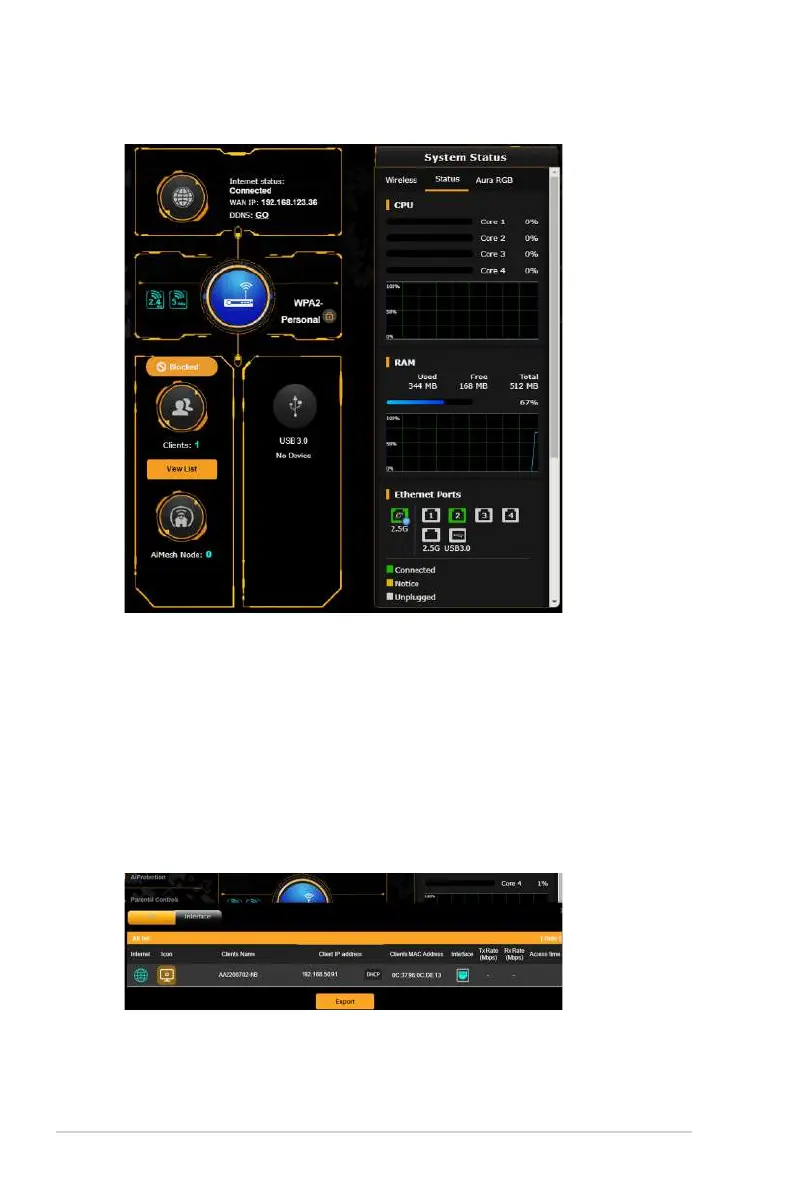
To manage your network clients:
1. From the navigation panel, go to General > Network Map.
2. On the Network Map screen, select the Clients icon to display
your network client’s information.
3. Click View List below the Clients icon to display all the clients.
4. To block a client’s access to your network, select the client and
click the open lock icon.


 To Next Page
 Loading...