36
1
1
2 3
Loading of parameters: takes place automatically by
selecting the desired programme
Saving of parameters: if the LED right of the display
F is turned off, press the SAVE key for more than 4
seconds. This LED will start to ash rapidly to indicate
that the parameters have been saved.
The program P=00 is read-only and it is congured with
default values.
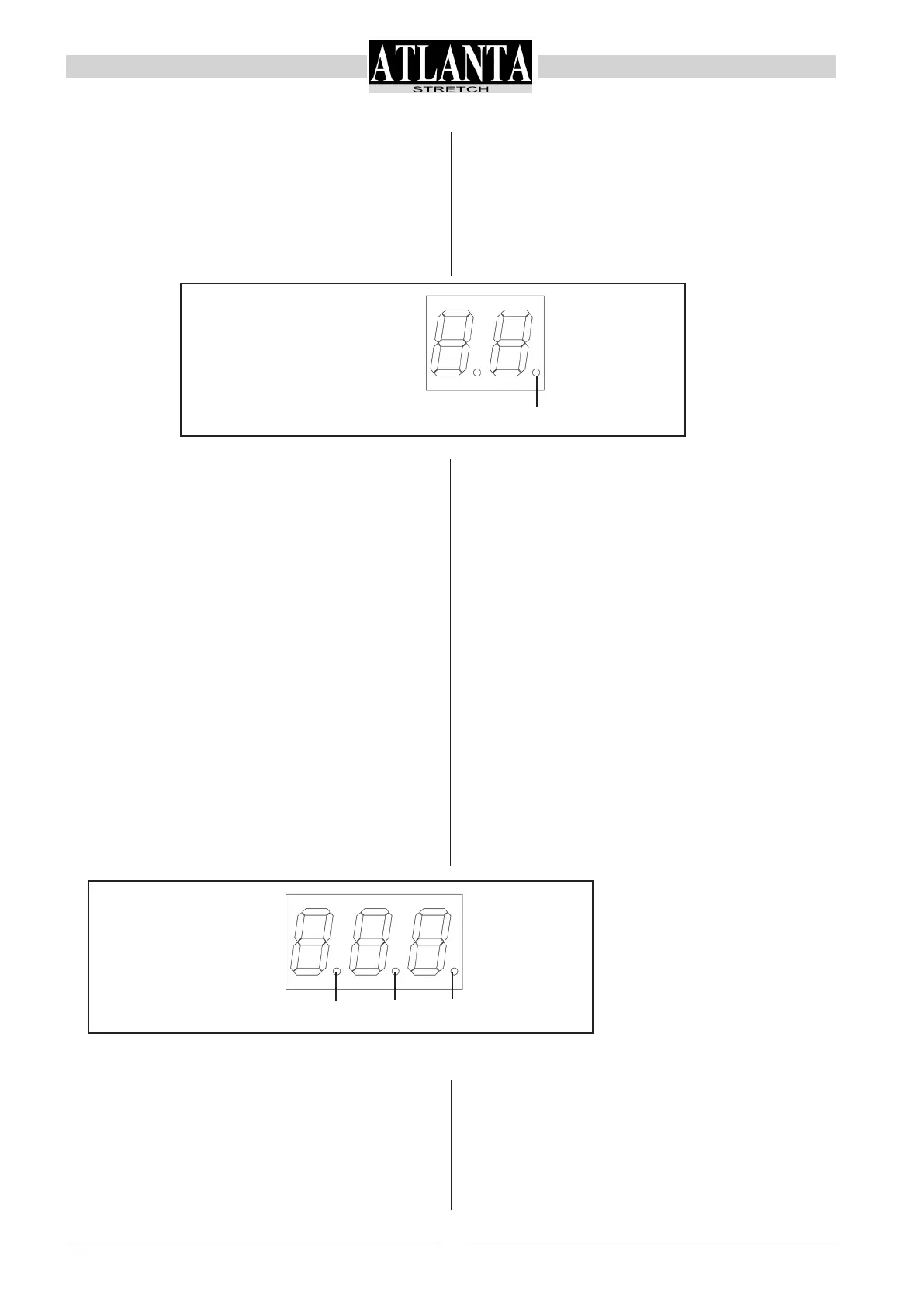
1:
indicates the block status of keyboard
ON: keyboard blocked (F00=0)
OFF: keyboard released (F00=1)
A total of 99 programs can be created: in order to
copy the parameters of a saved program to a new
one, select the source program, press the COPY (S)
icon (CPY appears on display V to indicate that a copy
and paste operation is in progress), press the keys P+
and P- to select the target program and then press the
PASTE (T) icon.
NB: The virgin target programme must always be re-
leased (F00=1)
Automatic opening of the program used previously.
When the machine is turned on again, the parameters
from the last programme selected and started will be
lloaded.
Disable/enable keypad: disable/enable authorisation
to reset the values of parameters; press, in order, the
icons SAVE (V), F+, F- ,DISABLE KEYPAD (W). When
the function is enabled, the right LED on the display V
turns on and remains steady.
The disabled/enabled status remains even after the
machine has been turned off and on again.
1:
indicates the decimal point (values from 0.00 to
9.99)
2: indicates the decimal point (values from 0.0 to
99.9)
3: indicates the block status of keyboard
ON: keyboard blocked (V+ and V- blocked)
OFF: keyboard released
图示SAVE(V),F+,F-,禁用键盘(W)。当该功能


 To Next Page