FMB10 User’s Manual Edition 06/2005
___________________________________________ Page 26 _____________________________________________
Audemat-Aztec SA – Audemat-Aztec INC
WEB: www.audemat-aztec.com - e-mail: contact@audemat-aztec.com
The table of frequencies uses several colours so as to differentiate frequencies according to their use:
To add a new value to the table, click on an empty box in the grid, then fill the 'Frequency' field and validate with
the Add button.
To modify an existing value, click on the corresponding box, then modify its value in the 'Frequency' field and/or
the type of broadcast program (method B) and validate with the Modify button.
To delete a value, click on the corresponding box, then validate with the Delete button.
The Cancel button is to leave the Edition mode without any modification.
¾ Radio text
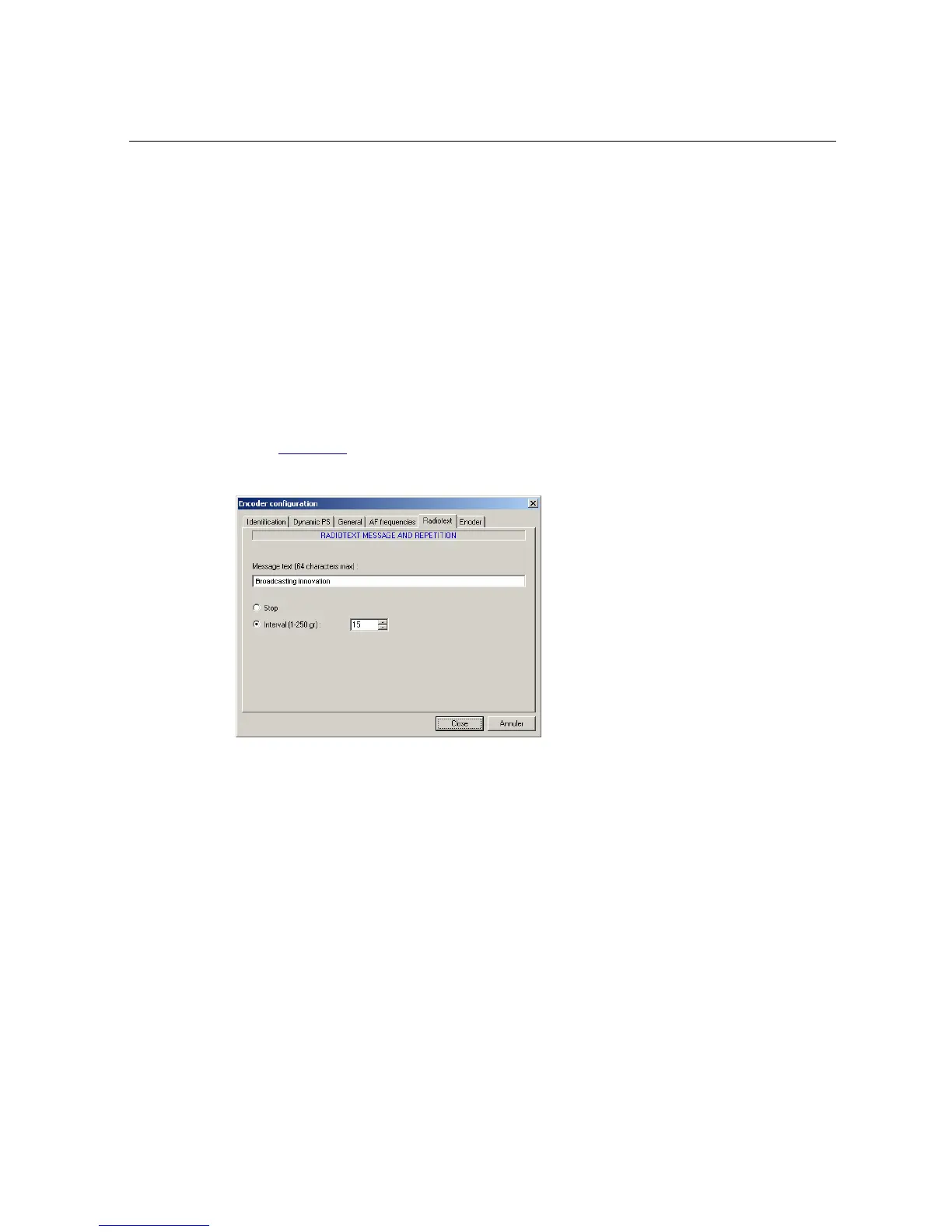
This page enables the transmission of the radio text message to be enabled or disabled:
Capture the text of the message in the Text zone, then define its repetition period: this is defined in percentage
of groups 2A (radio text) according to the other RDS groups (for example, 15 is a value signifying that a group
2A will be transmitted every 15 groups, i.e.: every 1.3 seconds).
When the radio text is disabled (Stop), the exploitation mode’s RT button is not active.


 To Next Page