88
12
CXiR Receiver
○○○ ○○○○○○○○○○○○○○○○○○○○○
Setting up the CXiR
To set up the CX
iR
in conjunction with a suitable
transmitter, such as the HX
iR
or TX Blue:
• Fit the receiver into the camera.
• Connect the RX1 and RX2 antennae.
• Set the audio input selector switch to the appropriate
position on the camcorder.
• Select the operating frequency.
• Set the output level.
• Check the power status.
• Check that one of the RX1 and RX2 indicators (yellow)
is illuminated, and that the no signal indicator (red) is
not illuminated.
These steps are explained below:
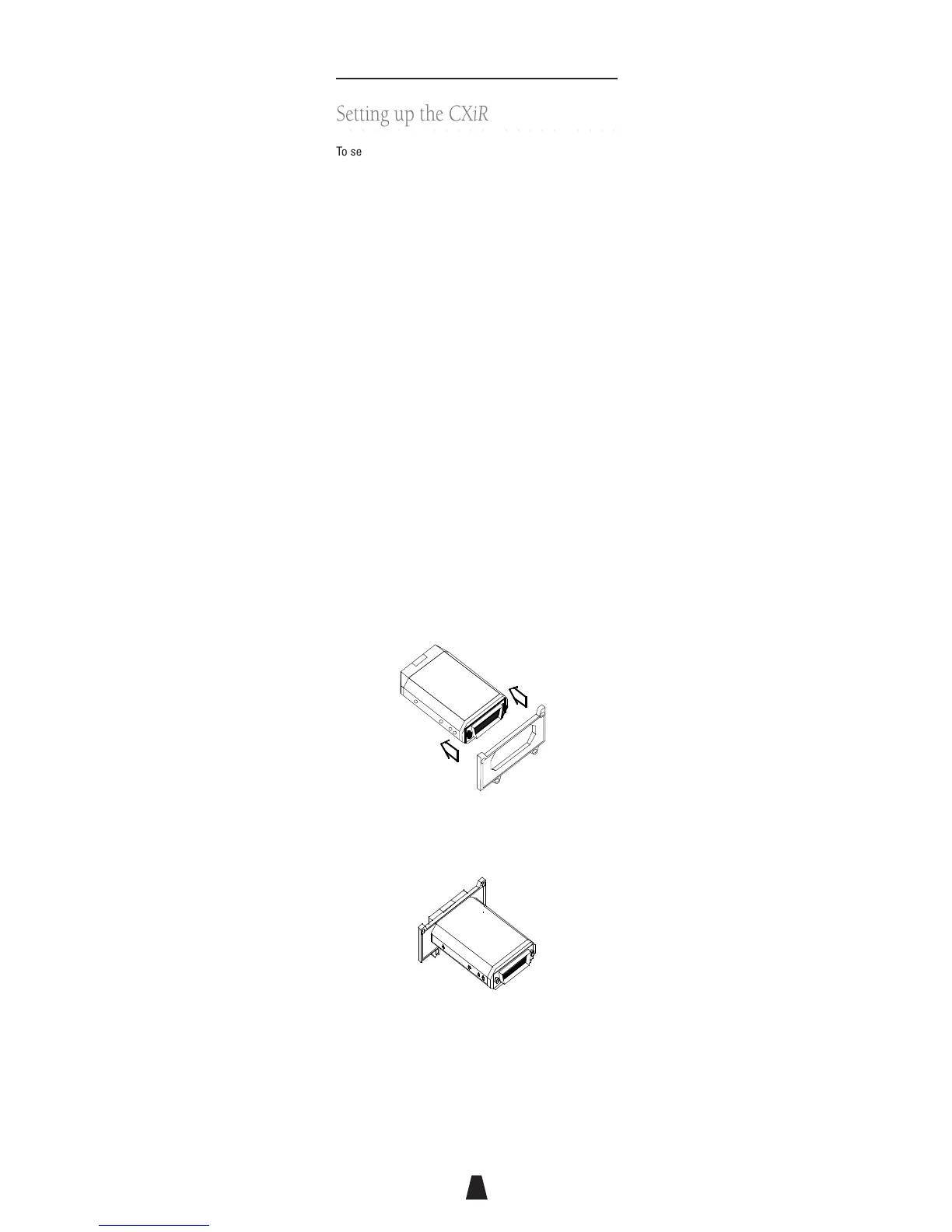
Mounting the receiver into the camera
To mount the CX
iR
receiver in the wireless microphone
receiver slot on the camcorder:
• Remove the plate covering the receiver slot on the
camcorder.
• Fit the appropriate cover plate on the CX
iR
receiver:
Rubber faced
gasket
• Ensure that the plate is oriented correctly.
• Slide the cover plate gently towards the top of the
receiver:
• Ensure the receiver has the correct interface
connector for the camcorder you are using.
• Fit the receiver assembly into the slot and press it
gently into place until it is firmly seated.
• Slide the cover plate into position and secure it into
place with the screws provided.



 To Next Page