88
23
HXiR Hand-Held
Transmitter
○○○ ○○○○○○○○○○○○○○○○○○○○○
Setting up the HXiR
To set up the HX
iR
:
• Fit the battery.
• Switch on by pressing and holding the grey button
below the infra-red port for one second.
• Check or select the operating frequency.
• Check or set the gain.
• Check or set the low frequency cut filter.
• Check the battery status.
These steps are explained below:
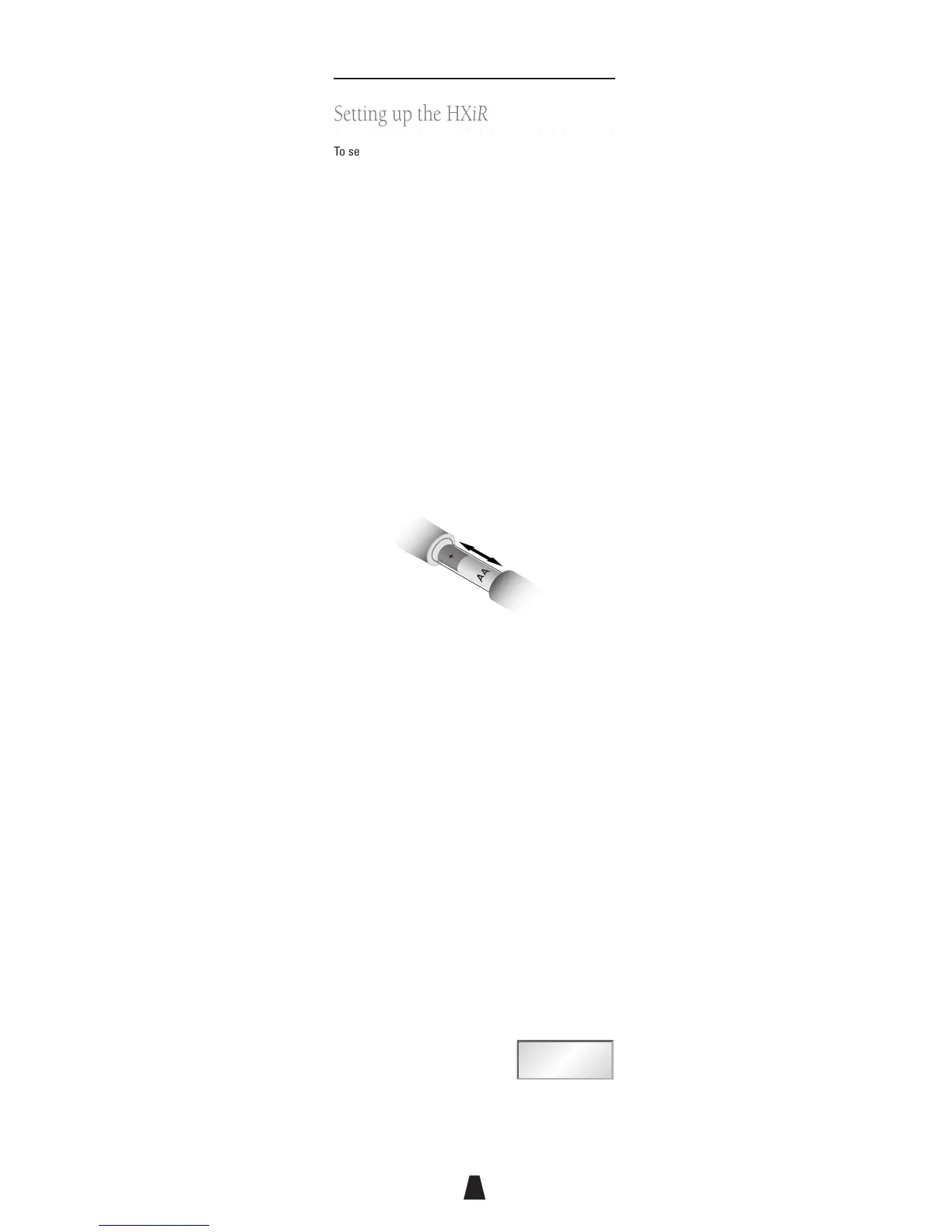
Fitting the battery
Open the battery compartment by gripping the cover
and sliding it gently away from the body of the HX
iR
. Fit
the battery with the positive terminal uppermost and
close the battery cover until it clicks shut.
Do not twist or turn the battery cover.
Switching on
To switch on press and hold the grey On button below
the infra-red port for one second until the ring above the
battery compartment glows red.
When not in use the power should be switched off using
the Switch
iR
, as described below. Alternatively the HX
iR
can be switched off by opening the battery
compartment and briefly disconnecting the battery.
Select the operating frequency
You can check or change the operating frequency of the
HX
iR
via infra-red control using the Switch
iR
.
To check the frequency:
• Press MENU.
The display shows:
FREQUENCY
MHz
Fr



 To Next Page