53
To connect to a Non-OBD II Vehicle
1. Connect the main cable’s female adapter to the Vehicle Data Connector on
the MaxiFlash Elite, and tighten the captive screws.
2. Locate the required OBD I adapter and connect its 16-pin jack to the main
cable’s male adapter.
3. Connect the attached OBD I adapter to the vehicle’s DLC.
NOTE
Some adapters may have more than one adapter or may have test leads
instead of an adapter. Whatever the case, make the proper connection to the
vehicle’s DLC as required.
To connect the cigarette lighter
1. Plug the DC power connector of the cigarette lighter into the DC power
supply input port on the device.
2. Connect the male connector of the cigarette lighter into the vehicle’s
cigarette lighter receptacle.
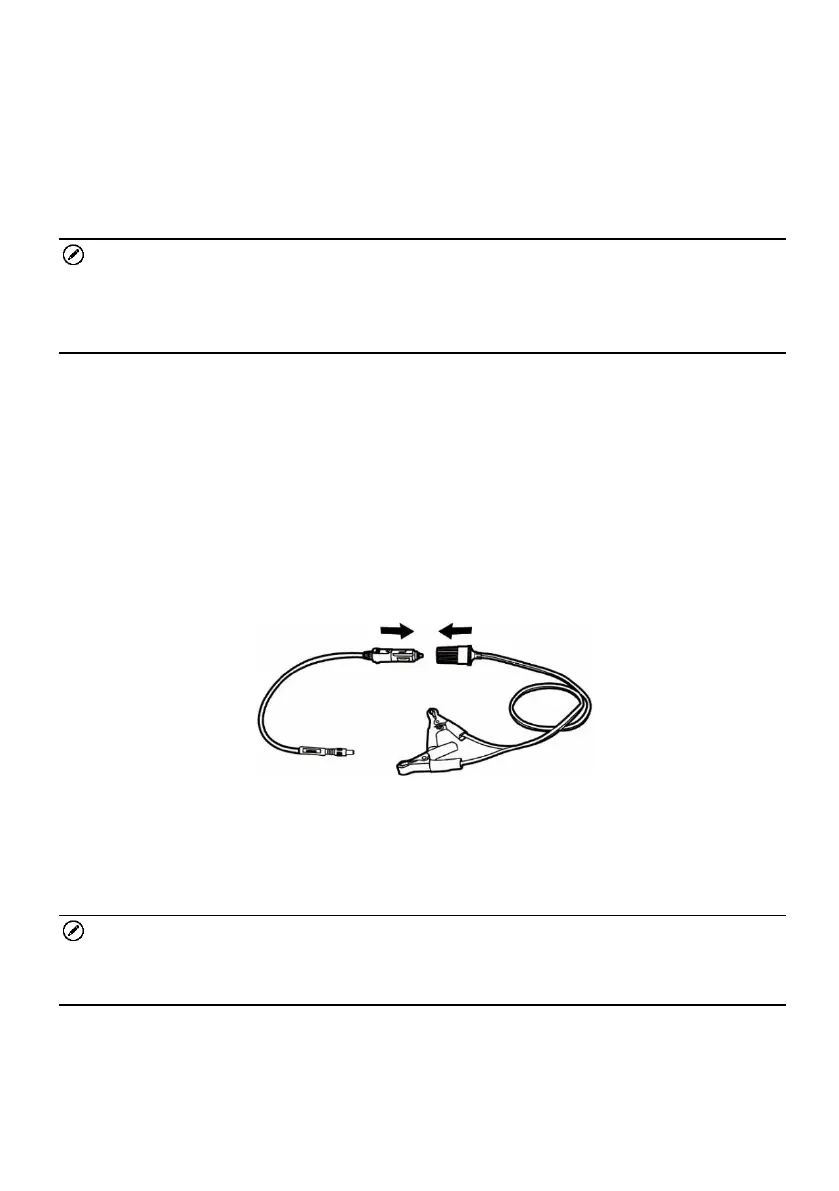
To connect the clipper cable
Connect the tubular plug of the clipper cable to the male connector of the
cigarette lighter.
Figure 4-23 Connection between Cigarette Lighter and Clipper Cable
Plug the DC power connector of the cigarette lighter into the DC power
supply input port of the MaxiFlash Elite.
Connect the clipper cable to the vehicle’s battery.
NOTE
After the MaxiFlash Elite is successfully connected to the vehicle, the Power
LED on the device illuminates, and a brief beep sound will be heard.
MaxiFlash Elite Connection
After the MaxiFlash Elite is properly connected to the vehicle, the Power LED
on the VCI device lights solid green, and is ready to establish communication














 To Next Page